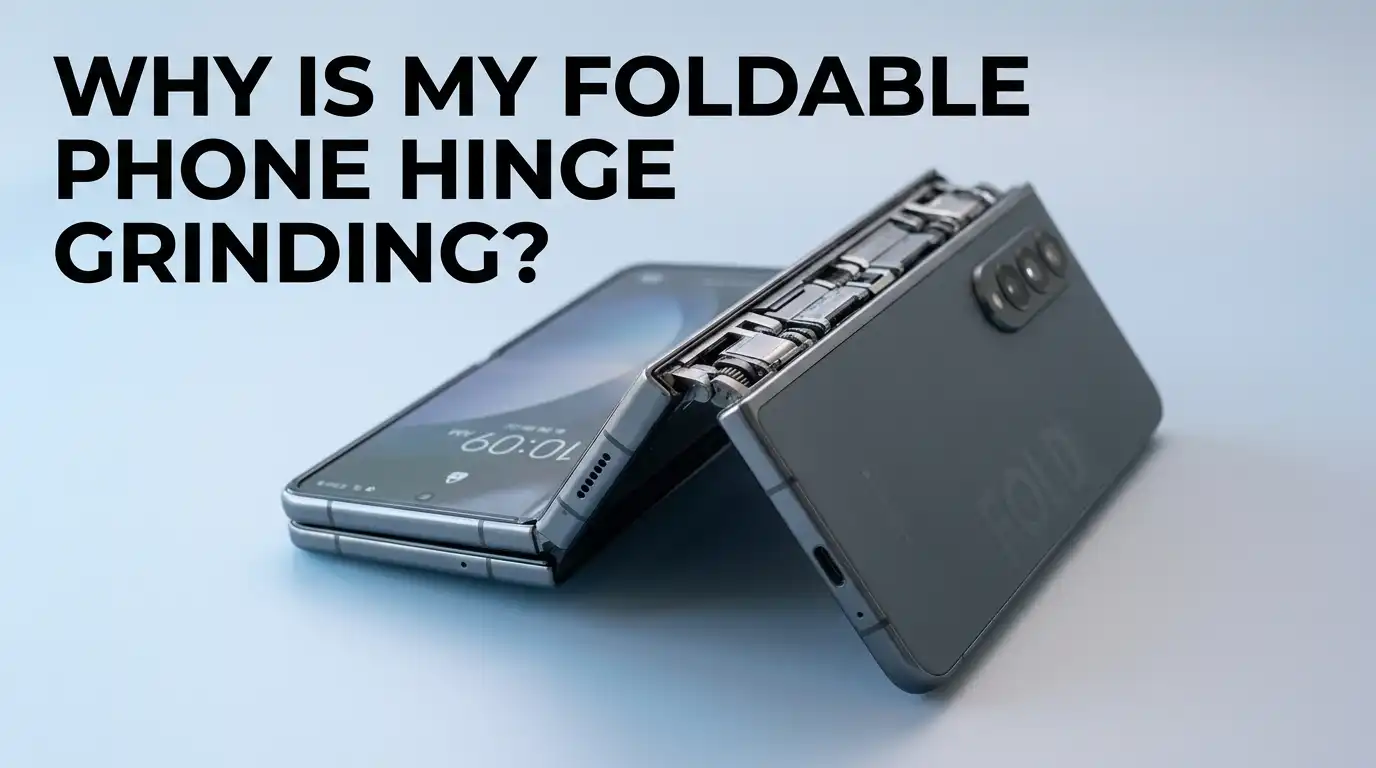
Why Is My Foldable Phone Hinge Grinding?
Foldable phones feel like magic in your hands. But that magic fades fast when the hinge starts making a strange grinding noise every time you open or close it. You start to wonder if you broke something expensive. You start to worry the screen will be next.
The good news is that most hinge grinding sounds come from dust, lint, or tiny grit stuck inside the mechanism.
With the right cleaning method and a few smart habits, you can stop the noise and protect your phone for years. This guide walks you through every step, from spotting the cause to cleaning it safely at home.
Key Takeaways
- Dust and grit are the main culprits. Tiny particles from pockets, bags, and tables work their way into the hinge and cause that grinding or crunching sound.
- Never poke anything sharp inside the hinge. Toothpicks, pins, and metal tools can damage the delicate gears and the inner screen seal.
- A soft brush and compressed air are your best friends. These tools lift debris out without scratching or pushing it deeper inside.
- Close the phone before cleaning the hinge. This protects the inner display and keeps loose dirt from falling onto the soft screen.
- Some sounds are normal. A faint click or soft creak from a new foldable is often just the screen protector or adhesive settling in.
- Visit a service center if grinding gets worse. Persistent metal on metal sounds may mean a bent hinge or broken internal component that needs professional repair.
What Causes a Foldable Phone Hinge to Grind
A grinding hinge usually means something is stuck between the moving parts. Foldable phones use small gears, cams, and metal arms that slide past each other every time you open or close the device. Even a single grain of sand can produce that gritty sound.
Pocket lint, dust from your bag, and small food crumbs are common offenders. Beach trips, hiking, and gym sessions raise the risk because sand and sweat both find their way inside. Older phones may also grind because of dried lubricant or slight wear on the metal parts.
In rare cases, the grinding points to a bent or damaged hinge plate. This often happens after a drop. If the noise started right after an accident, you should treat it as a hardware issue, not a cleaning problem.
Is Grinding Always a Bad Sign
Not every noise from a foldable hinge means trouble. Brand new phones often make a soft click or popping sound during the first few weeks. This usually comes from the factory adhesive under the screen protector. The sound fades as the materials settle.
A light creak from the case hinge is also normal. Many third party cases have their own folding spine, and that spine flexes against the phone body. Try opening the phone without the case to check if the case is the real source.
True grinding sounds rough and metallic. It feels like sand caught in a zipper. If you feel resistance or roughness while folding, the hinge needs attention. A soft squeak alone is rarely a danger sign.
Tools You Need to Clean a Foldable Hinge
Gathering the right tools before you start saves time and prevents damage. You do not need expensive gear. Most items already sit in a drawer at home or cost very little at a local store.
You will need a soft bristle brush like a clean makeup brush or a baby toothbrush. Add a can of compressed air with a thin straw nozzle. Grab a microfiber cloth, a small flashlight, and isopropyl alcohol at 70 percent or lower. A wooden toothpick can help, but only for the outer edges.
Avoid metal tools, cotton swabs that shed fibers, and household cleaners with bleach or ammonia. These items either scratch the finish or leave residue that attracts more dust. Keep your workspace clean and well lit before you begin.
Step by Step Method to Clean a Grinding Hinge
Start by closing your foldable phone fully. A closed phone protects the inner screen from falling debris. Hold the phone with the hinge facing down so gravity helps loose dust fall out.
Next, sweep the hinge gap gently with the soft brush. Move along the entire length of the spine. Then take the compressed air, hold the can upright, and give short bursts from a few inches away. Long blasts can release cold liquid that damages plastic parts.
Open the phone slowly and listen for the sound. If grinding remains, dampen the microfiber cloth with a tiny amount of alcohol and wipe the visible hinge edges. Let everything air dry for ten minutes before normal use.
Pros: Cheap, safe, and works for most cases of dust related grinding.
Cons: Will not fix bent hinges or worn internal gears. Compressed air can push debris deeper if used too aggressively.
Using Compressed Air the Right Way
Compressed air clears hidden grit faster than any brush. But using it the wrong way can make things worse. The trick is short controlled bursts from the right angle.
Hold the can about three to four inches away from the hinge. Aim along the seam, not directly into it. Direct blasts push dust deeper into the screen layer. Use bursts of one second at a time, and pause between each one.
Always keep the can upright. Tilting releases the cold propellant in liquid form, which can crack plastic and damage the OLED layer.
Pros: Reaches deep spots no brush can touch. Removes fine sand and pocket lint quickly.
Cons: Risk of pushing debris further in if angle is wrong. Cold propellant can harm screen materials if the can tilts.
The Soft Brush Technique for Daily Care
A soft brush is the safest tool you can use on a foldable hinge. It lifts dust without pressure, scratches, or static. Many Galaxy Z Fold and Pixel Fold users swear by a clean makeup brush kept just for this purpose.
Brush along the hinge gap with light back and forth strokes. Do this with the phone closed first, then again with it open at a ninety degree angle. Hold the phone upside down so loose particles fall out instead of inward.
Make this a weekly habit. Five seconds of brushing prevents most grinding sounds before they start.
Pros: Zero risk of damage, very cheap, and easy to do anywhere.
Cons: Cannot remove sticky residue or grit that is already wedged tight inside the gears.
When to Use Isopropyl Alcohol Safely
Alcohol helps when grease, sweat, or sticky residue builds up around the hinge. But foldable phones have delicate coatings, so you must use alcohol carefully. Never pour it directly onto the device.
Use a microfiber cloth dampened with 70 percent isopropyl alcohol. Wring out the cloth so it feels barely wet. Wipe only the outer metal parts of the hinge and the frame around it. Avoid the inner screen and the plastic edges near the fold.
Let the phone air dry for at least ten minutes before opening it. Faster drying liquids like acetone or rubbing solutions with added oils will damage the soft display layer.
Pros: Removes oils, fingerprints, and sticky grime that brushes cannot lift.
Cons: Can damage screen coatings if it seeps inside. Not safe for the soft inner display surface.
Things You Should Never Do to Your Hinge
Some quick fixes you read online can ruin your phone in seconds. Never insert a needle, paperclip, or pin into the hinge. These tools scratch the precision gears and can puncture the screen seal.
Avoid spraying water, glass cleaner, or household sprays near the hinge. Liquids seep into spots you cannot see and short out the flexible cable that powers the inner screen. Skip the vacuum cleaner too, as strong suction can pull the screen layers apart.
Do not try to lubricate the hinge yourself. Foldable hinges use a special factory grease that lasts the life of the phone. Adding oil or WD40 attracts dust and gums up the mechanism within days.
How to Prevent Hinge Grinding in the First Place
Prevention beats cleaning every time. Keep your foldable away from sandy beaches, dusty work sites, and your gym bag floor. Always close the phone before putting it in a pocket or purse.
Use a case with a hinge cover or spine guard. These covers block dust from reaching the gap while still letting the phone fold smoothly. Wipe the outer edges with a microfiber cloth every couple of days.
Try not to open and close the phone with dirty hands. Oils and crumbs from snacks transfer easily to the hinge area. Charge and store your phone on a clean flat surface rather than tossing it on a couch or bed full of lint.
Signs Your Hinge Needs Professional Repair
Sometimes cleaning does not fix the problem. If grinding gets louder over time, the hinge may have internal damage that only a technician can repair. Other warning signs include stiff folding, uneven gaps when closed, or the screen lifting near the crease.
A clicking sound paired with screen flickering is a serious red flag. It often means the flexible ribbon cable inside the hinge is failing. Continuing to use the phone in this state can tear the cable completely.
Contact the official service center for your brand. Samsung, Google, Motorola, and Honor all offer hinge repair under warranty if no physical damage caused the fault. Third party repair shops can also handle hinge replacements at lower cost.
Warranty Coverage for Hinge Problems
Most foldable phones come with a one or two year warranty that covers hinge defects. The catch is that water damage, drops, and physical cracks void this coverage. Keep your receipt and original packaging for any claim.
Samsung Care Plus, Google Preferred Care, and similar plans add extra protection for accidental damage. These plans cost extra but often pay for themselves with just one hinge repair, which can run several hundred dollars without coverage.
Before sending the phone in, back up your data. Repair centers may replace the entire screen and hinge assembly, which wipes your storage. Take photos of the phone condition before shipping so you have proof of its state.
Smart Habits That Extend Hinge Life
A few daily habits keep your foldable hinge silent and smooth for years. Open and close the phone gently rather than flicking it like a flip phone from the 2000s. Each fast snap puts stress on the cams and gears inside.
Store the phone half open when it sits on your desk for long periods. This relieves tension on the hinge spring. Keep it out of extreme heat and cold, since temperature swings make the internal lubricant thicken or thin out.
Clean your hands before each use if you can. Lotion, food oil, and sunscreen all attract dust to the screen and hinge. A simple wipe down every evening adds months of clean operation to your device.
Frequently Asked Questions
Why does my new foldable phone make a clicking sound when I open it?
A soft clicking or popping noise on a new foldable usually comes from the factory screen protector and adhesive settling against the inner display. This sound is normal for the first few weeks and slowly fades. If the click turns into a grinding or crunching sound, dust may have entered the hinge.
Can I use a cotton swab to clean my foldable hinge?
Cotton swabs are risky because they shed tiny fibers that get stuck in the hinge gears. These fibers can build up and make the grinding worse. Use a soft bristle brush or microfiber cloth instead, since both leave no lint behind.
Is it safe to use a vacuum cleaner on my foldable phone?
No, vacuum cleaners create static electricity that can damage the delicate OLED layers inside your phone. The strong suction may also pull at the screen edges and weaken the adhesive. Stick to compressed air in short bursts for the safest deep cleaning.
How often should I clean my foldable phone hinge?
A quick brush along the hinge once a week works for most users. If you spend time outdoors, at the beach, or in dusty areas, clean it every two or three days. The more often you do light cleaning, the less likely you are to need deep cleaning later.
Will water damage my foldable phone hinge?
Newer foldables like the Galaxy Z Fold 7 and Pixel 9 Pro Fold have IPX8 water resistance but no dust resistance. Fresh water splashes are usually fine, but you should never submerge the phone in salt water or sand filled water. Always dry the hinge area thoroughly afterward.
Should I remove the pre installed screen protector to stop the noise?
No, the pre installed protector on a foldable phone is part of the screen assembly itself. Removing it can damage the display and void your warranty. If the protector lifts or bubbles, contact the manufacturer for a free replacement instead.

Hi, I’m Jessamine Rowell, the founder and voice behind ResizeMake (https://resizemake.com/), a space where I share my love for technology with the world. I write detailed and honest reviews on the latest tech products, gadgets, electronic devices, and trending Amazon items to help readers make smarter buying decisions.