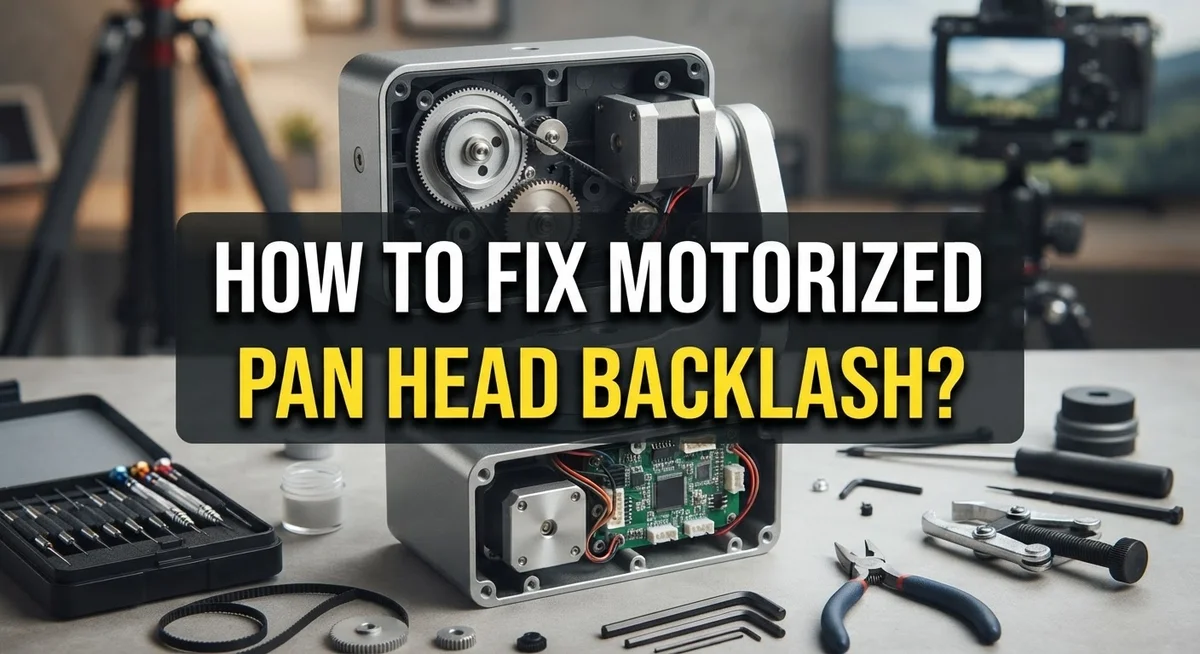
How To Fix Motorized Time-Lapse Pan Head Backlash?
Have you ever watched your time-lapse footage and noticed jerky, uneven movements instead of smooth panning? This annoying issue is called backlash. It happens when there is mechanical play or slack in your pan head’s gear system.
Backlash can ruin an otherwise perfect time-lapse sequence. Your camera might jump slightly instead of moving in one fluid motion. This creates gaps and inconsistencies that are hard to fix later.
The good news is that you can fix this problem. Many photographers face backlash issues with their motorized pan heads. Models like the MH-360 and other panoramic heads can develop this slack over time or right out of the box.
In a Nutshell
- Check for gear play first. Gently move the pan head by hand. If you feel slack before it engages, that’s backlash.
- Tighten mounting screws and gears. Loose connections often cause most of the wobble. A simple tightening fix can solve small issues quickly.
- Adjust motor settings carefully. Set your rotation angle and duration with small buffers. This helps the motor compensate for minor slack.
- Test with short runs. Run a five minute test before committing to a full sequence. This shows you problems early.
- Use quality controllers. Reliable units let you fine tune timing and motion. This reduces jerky movement from the start.
- Avoid DIY shortcuts. Simple hacks may seem tempting, but they often add more backlash instead of removing it.
- Plan your shot in advance. Good planning prevents continuity gaps and saves your footage from small errors piling up.
What Is Backlash and Why It Ruins Time-Lapse Footage
Backlash is mechanical slack that builds up inside gear systems over time. When your motorized pan head has backlash, the gears don’t connect tightly. This creates tiny gaps between moving parts.
Why backlash ruins your footage is simple. Each gap causes a small delay or jerk in motion. Your camera rotates smoothly for a moment, then suddenly stutters or jumps. These micro movements appear on camera as jerky pans instead of flowing, cinematic shots.
Think of it like this: imagine turning a steering wheel in your car with loose connections. You turn the wheel slightly, but nothing happens at first. Then suddenly the wheels respond too much. Your pan head works the same way. Small delays compound into visible problems across your entire sequence.
Backlash grows worse as equipment ages. Repeated rotation cycles wear down gear teeth. Metal parts develop tiny dents and scratches. Dust and debris settle into gear boxes. All of these factors increase mechanical play.
The real damage happens in post production. You cannot fix jerky motion in editing software. You cannot smooth out sudden jumps with filters or effects. Once backlash appears in your footage, that footage is compromised. You must re shoot the entire sequence.
This is why backlash matters so much for time lapse work. A single frame of jerkiness repeats hundreds of times when played back at normal speed. What looks like a tiny glitch becomes painfully obvious. Your smooth, professional looking pan becomes visibly flawed.
Understanding backlash helps you prevent it before it ruins your shots. Recognizing the signs early means you can fix problems during setup, not after you have already wasted hours filming.
Identifying the Signs of Gear Backlash in Your Pan Head
Backlash shows itself in several clear ways when you watch your pan head in action. The most obvious sign is jerky, uneven motion during playback. Your camera should rotate smoothly across the scene, but backlash creates visible stuttering or hesitation at certain points.
Look for sudden position shifts when you manually rotate the pan head by hand. Grab the camera mounting plate and turn it gently. If it moves freely before engaging the gears, that gap is backlash. You should feel resistance immediately with no dead zone.
Listen for clicking or clunking sounds during operation. These noises indicate gears are not meshing properly. Quality motorized heads run nearly silent, so any audible grinding means internal play has developed.
Check your footage for inconsistent frame to frame movement. In a smooth time lapse, each frame should advance by the same amount. Backlash causes some frames to jump further than others, creating an unnatural rhythm.
Another telltale sign appears when the pan head hesitates before starting rotation. You set the parameters, press start, and nothing happens for a moment. Then the head suddenly lurches into motion. This delay happens because the motor must first take up all that mechanical slack before the gears engage.
Test your pan head at different rotation speeds. Backlash often becomes worse at slower speeds because the motor struggles to maintain consistent torque. Fast rotations may mask the problem temporarily.
Visual inspection matters too. Look at the gear connections where the motor attaches. Visible gaps between components signal loose mounting. Shine a light into the mechanism and check for worn teeth or obvious damage on the gears themselves.
Diagnosing the Root Cause: Gears, Motor Mounts, or Software Settings
Backlash comes from three main sources: worn gears, loose motor mounts, or incorrect software settings. You need to identify which one is causing your problem before you can fix it.
Start by checking your gears first. Manually rotate the pan head slowly while watching for sudden jumps or gaps in motion. If the head moves smoothly by hand but jerks during motorized operation, your gears likely have internal wear. Gears develop play over time as teeth wear down from repeated use.
Next, inspect all motor mounts and connection points. Backlash often comes from loose bolts and screws rather than broken parts. Check every fastener on your pan head carefully. A mount that shifts even slightly will amplify gear errors into visible wobble on camera.
Finally, examine your software or controller settings. Some units allow you to adjust acceleration ramps and motor speed curves. Aggressive acceleration settings can make backlash more visible in your footage. Try reducing the pan speed or increasing the total rotation time to see if movement becomes smoother.
Test each fix individually. After tightening one component, run a short test sequence and review the footage frame by frame. This tells you whether that specific fix helped.
Pay attention to when backlash appears most. Does it happen at the start of rotation? During fast pans? Only in one direction? These patterns reveal the root cause. Backlash at startup usually points to motor mount issues. Backlash during motion suggests gear wear. Directional problems often mean uneven motor calibration through your controller.
Document your findings as you test. This systematic approach saves time and prevents you from making multiple changes that mask the real problem.
Step-by-Step Fix: Adjusting and Tightening Mechanical Components
Start by locating all mechanical fasteners on your pan head. These include bolts, screws, and connection points where the motor attaches to the gear system. Use the correct wrench or screwdriver size to avoid stripping threads.
Check each fastener systematically. Gently turn each bolt clockwise to tighten it. Do not over tighten, as this can crack plastic components or strip metal threads. A firm resistance tells you the fastener is snug enough.
Inspect the gear mesh next. Look for visible gaps between gears where they connect. Gears should touch with minimal space between them. If you see daylight between gear teeth, the assembly needs adjustment.
Most pan heads have adjustment screws that control gear spacing. Locate these screws on your specific model. Turn them slowly in small increments, then test the pan head movement after each adjustment. This prevents accidentally making backlash worse.
Check the motor mount connections thoroughly. The motor sits on brackets that hold it in place. These brackets often loosen first because they absorb vibration during operation. Tighten all motor mount bolts by hand first, then use a tool for final tightening.
Test the pan head manually after each adjustment. Rotate it by hand slowly and listen for clicking sounds. These clicks indicate gears are still not meshing properly.
After tightening mechanical components, run a test rotation cycle. Start with slow speeds and watch for jerky movements. Smooth, consistent motion means your adjustments worked. If jerking persists, you may need to replace worn gears or contact the manufacturer for professional service.
Document which adjustments improved performance. This information helps you maintain the equipment going forward.
Calibrating Motion Controller Settings to Compensate for Play
Motion controllers let you fine tune how your pan head moves. Most units have software settings that can reduce the appearance of backlash in your footage. Understanding these options helps you get smoother results.
Start by accessing your controller’s acceleration and deceleration settings. These features gradually speed up and slow down the motor instead of starting and stopping instantly. Gradual acceleration reduces jerky movements that backlash creates. Set acceleration to begin slowly, reach full speed midway through your pan, then decelerate smoothly at the end.
Next, adjust the step resolution or microstep settings if your controller offers them. Higher resolution means smaller individual motor movements. More steps per rotation equals smoother motion on camera. Lower resolution creates visible stuttering that makes backlash worse.
Many controllers include a “dead band” or “threshold” adjustment. This setting tells the motor how much play to ignore before moving. You can increase this value slightly to compensate for existing slack. However, avoid setting it too high or you’ll lose precision.
Test your speed settings carefully. Slower rotations mask backlash better than fast ones. A 90 degree pan over 30 minutes looks smoother than the same pan in 5 minutes. Adjust your timing parameters to allow gradual, steady movement.
Check if your controller has a backlash compensation mode. Some advanced units detect and counteract gear play automatically. Enable this feature if available on your equipment.
After adjusting these settings, run a full test rotation cycle. Capture footage at your maximum camera resolution. Review the footage frame by frame to see if compensation improved smoothness. Make small adjustments and test again until you achieve consistent motion.
Testing Your Fix with a Controlled Motion Sequence
Before you declare your fix successful, you need to run your pan head through a controlled motion sequence. This step confirms that backlash is actually gone and your footage will look smooth.
Start by setting up a simple test rotation. Program your pan head to rotate 90 degrees over a 30 minute period in one direction. This gives you enough time to observe the motion and spot any jerky movements. Use your camera’s highest resolution setting. This flexibility helps you catch subtle problems during playback.
Position your camera on the pan head and frame a scene with clear reference points. A brick wall, fence, or architectural lines work perfectly. These visual markers make any inconsistent motion immediately obvious during playback.
Run the test sequence and let it complete without interruption. Do not touch the equipment during this time. Record the entire rotation from start to finish.
After the sequence finishes, review your footage frame by frame. Look for sudden jumps or hesitations in the camera’s movement. Smooth, consistent motion means your fix worked. Any stuttering indicates backlash still exists.
Next, test rotation in the opposite direction. Backlash sometimes appears more in one direction than the other. Repeat your 90 degree test going counterclockwise or in the opposite pan direction.
Finally, test at different rotation speeds. Program a 180 degree rotation over 15 minutes, then again over 60 minutes. Backlash behavior often changes at different speeds, so testing multiple speeds gives you confidence that your fix works across all situations.
Document your results. Take notes on which tests passed and which ones showed problems. This information guides any additional adjustments you need to make.
Preventive Maintenance to Keep Backlash From Returning
Regular maintenance stops backlash from coming back. You need a simple routine to keep your motorized pan head in top shape.
Clean your gear system every month. Dust and debris build up inside the gears and create extra play. Use a soft brush to remove particles from the gear teeth. Wipe down the motor shaft with a clean cloth. Avoid using water or harsh solvents that damage the internal mechanisms.
Check all fasteners monthly. Vibration from repeated rotation loosens bolts and screws over time. Go through each connection point systematically. Tighten gently without over forcing, which strips threads. Pay special attention to the motor mount and gear housing bolts.
Lubricate moving parts properly. Your pan head needs the right lubricant for smooth operation. Apply a thin layer to gear teeth and motor bearings. Use only lubricants designed for camera equipment. Too much lubricant attracts dust and makes backlash worse.
Test your pan head weekly during active use. Run a short rotation cycle and watch for jerky motion. Catch problems early before they get worse. Small issues compound into major failures quickly.
Store your equipment in a dry location. Moisture causes rust and corrosion in gear systems. Keep your pan head away from extreme temperature changes. These conditions warp mechanical components and increase play.
Document your maintenance schedule. Write down when you cleaned, lubricated, and tested your pan head. This record helps you spot patterns and predict when service is needed.
Replace worn components promptly. Gears wear down with use. If you notice increasing backlash despite maintenance, internal parts may need replacement. Catching wear early prevents damage to your entire pan head system.
Mistakes That Make Backlash Worse
Backlash gets worse when you make certain common mistakes during setup and operation. Understanding these errors helps you avoid compounding the problem into something unfixable.
Overloading your pan head causes excessive stress on the gear system. When you place a camera that’s too heavy for the unit’s specifications, the gears experience constant strain. This pressure increases mechanical play and creates more slack in the system. Always check your equipment’s weight capacity before mounting anything.
Forcing the pan head manually damages internal components significantly. Some people try to move the head by hand to test it or adjust position. This direct force bypasses the motor’s controlled movement and can strip gears or bend shafts. Only use the motor or controller to move your pan head.
Ignoring cable tension and routing introduces hidden backlash sources. Cables that wrap around gears incorrectly or sit too tightly pull the system out of alignment. Poor cable management adds friction and creates binding that feels like backlash. Route all cables away from rotating parts and keep tension consistent.
Skipping the break in period means your equipment never settles properly. New pan heads need gradual use to let components seat correctly. Running full speed rotations immediately stresses fresh gears. Start with gentle movements at lower speeds for the first several uses.
Mixing incompatible lubricants creates sticky residue inside gears. Using the wrong type of lubricant attracts dust and hardens over time. This buildup increases friction and makes backlash worse. Stick with the lubricant your manual recommends.
Operating in extreme temperatures affects mechanical tolerance. Cold makes lubricant thick and stiff. Heat causes metal expansion and contraction. Both conditions increase gear play significantly. Keep your equipment within normal operating temperatures.
Final Thoughts
Fixing backlash in your motorized pan head takes patience. But the results speak for themselves once you finish the process.
Your time-lapse footage will show smooth, professional motion instead of jerky stops and starts. That difference matters to anyone watching your final video.
Remember that backlash fixes need regular attention. A pan head you adjust once and forget will develop problems again over time.
Small maintenance habits prevent big headaches later. Clean gears, proper lubrication, and careful storage all add up to reliable performance.
Test your equipment often, especially before important shoots. A quick five minute check can save you from losing hours of footage.
If your pan head still shows problems after multiple fixes, consider the mechanical limits of your equipment. Some units have more inherent play than others.
Quality components matter here. Cheaper gear systems often show more backlash than higher grade options, even after careful tuning.
Document what works for your specific setup. Every pan head behaves a little differently, so your notes become a useful reference for future adjustments.
Share your findings with other time-lapse creators too. The community learns faster when people trade practical fixes instead of guessing alone.
Patience pays off in this hobby. Rushing through backlash fixes often creates new problems instead of solving old ones.
Take your time with each adjustment. Test thoroughly before moving to the next step in your process.
Your effort now means better footage later. Every smooth, drift free time-lapse you capture proves the fix worked.
Keep learning about your equipment. The more you understand your pan head, the faster you will spot and solve future issues.
Frequently Asked Questions
What exactly is backlash in a motorized pan head?
Backlash is mechanical slack or play inside the gear system. When gears wear down or parts loosen, they create gaps between teeth. These gaps cause your camera to jerk or stutter instead of moving smoothly during time-lapse sequences.
You’ll notice backlash as jerky motion in your final video. The camera pauses, then jumps forward suddenly. This ruins the smooth, professional look you want from automated rotation.
Can I fix backlash without taking the pan head apart?
Yes, you can fix many backlash problems without full disassembly. Start by tightening all visible fasteners and bolts on your unit. Check that the pan head sits level on your tripod.
Adjust cable tension if your model uses cables for rotation. Sometimes loose cables introduce hidden slack. Clean out dust and debris from accessible gear areas with a soft brush.
If these steps don’t work, then internal adjustments become necessary.
How often should I maintain my pan head to prevent backlash?
Monthly maintenance stops backlash before it starts. Check all fasteners and bolts regularly. Clean your gear system monthly since dust builds up inside and creates extra play.
Lubricate moving parts with the correct lubricant for your equipment. Test your pan head weekly during active shooting periods. Store it in a dry location when not in use.
These simple habits prevent expensive repairs later.
Why does backlash get worse over time?
Gears naturally wear down with repeated use. Each rotation cycle creates tiny amounts of wear. Over months and years, these small gaps add up to visible backlash.
Temperature changes also affect mechanical tolerance. Heat expands metal parts while cold shrinks them. This constant expansion and contraction loosens connections gradually.
Poor storage conditions accelerate wear significantly.

Hi, I’m Jessamine Rowell, the founder and voice behind ResizeMake (https://resizemake.com/), a space where I share my love for technology with the world. I write detailed and honest reviews on the latest tech products, gadgets, electronic devices, and trending Amazon items to help readers make smarter buying decisions.