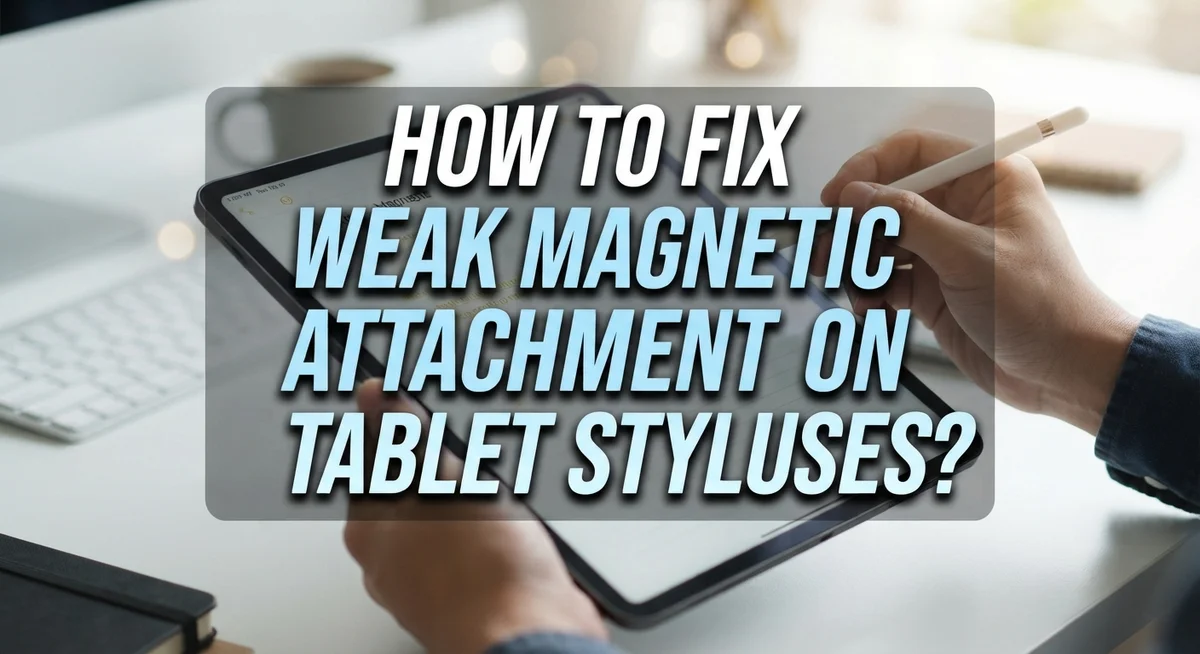
How To Fix Weak Magnetic Attachment On Tablet Styluses?
Does your stylus keep sliding off your tablet? You are not alone.
Many tablet users face this same problem. The stylus attaches for a moment, then falls off during use or storage.
Weak magnetic attachment is a common issue across many devices. This includes popular tablets like Remarkable, Onyx Boox, and iPad models.
The good news? You can fix this problem yourself. Most causes come down to simple mistakes anyone can correct.
Wrong stylus orientation is often the main culprit. Placing your pen in the wrong spot also weakens the magnetic hold.
In a Nutshell
- Check the orientation first. Your stylus nib should face down, not up. This simple switch often solves the problem right away.
- Find the correct spot on your tablet. Most devices need the stylus near the top edge, where a secondary magnet sits.
- Inspect your pen tip for wear. A protruding metal tip means the nib is worn out and needs replacing.
- Verify battery charge if your stylus feels completely unresponsive. Low power can weaken the magnetic connection too.
- Keep the flat surface of your pen touching the tablet directly. Any gap reduces the magnetic pull significantly.
- Store your stylus safely in a case or pocket when not attached. This prevents accidental drops and loss.
Why Stylus Magnets Lose Their Grip
Stylus magnets lose their grip for several practical reasons. Understanding these causes helps you fix the problem quickly.
Magnet strength degrades over time. Magnets naturally weaken as years pass. The magnetic field becomes less powerful, especially if your stylus experiences temperature changes or physical stress. This is why older styluses often detach more easily than new ones.
Metal particles and dust accumulate on the magnet surface. Dirt blocks the magnetic connection between your stylus and tablet. Even tiny debris creates a gap that weakens the hold. Regular cleaning removes this buildup and restores grip strength.
Worn pen tips cause attachment problems. When your stylus tip becomes flat or damaged, the pen no longer sits flush against the tablet. This creates space between the stylus body and the magnetic surface. The magnet cannot engage properly when the stylus sits at an angle.
Low battery charge affects magnetic performance in some styluses. Electronic styluses require power to activate their magnetic sensors. A depleted battery means the magnet cannot function at full strength. Charging your stylus often solves loose attachment issues completely.
Incompatible stylus and tablet combinations create weak connections. Budget styluses sometimes use cheaper magnets that do not match your tablet’s magnetic strength. The two magnetic forces simply do not align well together.
Temperature extremes damage magnetic materials. Leaving your stylus in hot cars or cold environments weakens the magnet permanently. Extreme heat causes magnetic particles to lose alignment. Extreme cold reduces their natural energy.
Incorrect storage methods accelerate magnet wear. Storing your stylus near other magnetic objects or electronics can demagnetize it faster. Metal objects pressing against the magnet create interference that weakens its field.
Most weak attachment issues stem from one or more of these causes. The good news is that many fixes are simple and cost nothing. Start by cleaning your stylus, checking the battery, and inspecting the tip. These basic steps resolve most magnetic grip problems immediately.
Finding the Correct Magnetic Attachment Point on Your Tablet
Your tablet has specific spots where the magnet works best. Finding these locations makes a huge difference in attachment strength.
Most tablets have two magnetic zones. The primary magnet sits along one edge, usually at the top. A secondary magnet often exists on the opposite side. Check your tablet’s manual or manufacturer website to locate these exact spots.
The top edge is your best bet for most devices. Tablets like e-readers and iPad models place their strongest magnets here. Position your stylus near this area first. You should feel a noticeable “pull” when the pen gets close. If you don’t feel this pull, you are in the wrong location.
Some tablets hide magnets along the side edges. Slide your stylus slowly around all four edges. Pay attention to where the magnetic attraction feels strongest. That spot is your answer. Mark it mentally so you attach your stylus there every time.
Orientation matters at the attachment point too. The nib (tip) should face downward toward your work surface. This position aligns the pen’s magnet correctly with the tablet’s magnet. Nib facing up creates a weak connection. Many users accidentally reverse this and wonder why their stylus falls off.
Test the attachment by holding your tablet at different angles. Tilt it up, down, and sideways. A proper magnetic connection holds firm through these movements. If your stylus slides or drops, you are either in the wrong spot or using the wrong orientation.
Once you find the correct location, consistency becomes key. Always attach your stylus to that same spot. Your muscle memory will develop quickly. Within a few days, proper placement becomes automatic.
Different tablet models vary slightly in magnet placement. If you recently switched devices, spend time finding the new magnetic zones. Do not assume the location is identical to your previous tablet.
Step-by-Step: Correcting Stylus Orientation for a Secure Hold
Stylus orientation determines whether your pen stays attached or falls off. The direction your pen faces makes a huge difference in magnetic grip strength.
Nib facing down works best. When the tip of your stylus points downward toward the tablet surface, the magnet inside the pen aligns properly with your tablet’s magnetic field. This creates a stronger, more secure hold. Your stylus will stay in place even if you move your tablet around or carry it in a bag.
Nib facing up causes weak attachment. When your pen tip points upward or away from the tablet, the magnetic connection weakens significantly. The magnet alignment reverses, and your stylus will slip off easily. This is the most common mistake people make.
Test your current setup right now. Flip your stylus around so the nib faces downward against the tablet. You should feel a noticeably stronger pull. The difference is immediate and obvious.
Position matters just as much as direction. Attach your stylus near the top edge of your tablet where the secondary magnet is located. This spot provides dual magnetic engagement, which strengthens the hold considerably. Avoid attaching your pen in the middle or bottom areas of your screen.
Hold your stylus at a slight angle first. Let the magnet do the work and guide your pen into place. Don’t force it or push hard. Gentle contact allows the magnetic field to engage properly.
Keep the flat surface flush. Make sure the side of your stylus that touches the tablet is flat and clean. Debris or a curved surface reduces contact area and weakens the magnetic connection.
Once you orient your pen correctly with the nib facing down and position it at the top edge, your attachment problem should improve immediately. This simple fix solves the issue for most users without any additional steps or replacements needed.
Inspecting and Maintaining Your Stylus Tip and Battery
Your stylus tip and battery work together to keep your pen functioning properly. When either one fails, your magnetic attachment suffers too. Let’s check both.
Start with the battery first. Many styluses use rechargeable batteries inside. A weak or dead battery can prevent the internal magnet from working at full strength. Connect your stylus to its charger for at least two hours. Some styluses take longer to charge fully. Check your device manual for the exact charging time needed.
After charging, test the attachment again. Place the stylus near the top edge of your tablet with the nib pointing downward. Does it hold better now? If yes, your battery was the problem. If no, move forward to inspect the tip.
Now examine your stylus tip closely. Look at the nib from the side. Is it flat or rounded? A flat tip means the nib is worn down. Worn tips cannot sit flush against your tablet surface. This creates gaps between the stylus and tablet, weakening the magnetic hold.
Feel the tip gently with your finger. Does it feel rough or splintered? Damage here prevents proper contact. Check if any metal is showing through the tip material. This indicates serious wear that needs replacement.
Verify the tip is tight. Many styluses have removable nibs that screw or click into place. Gently twist the tip to see if it moves. A loose tip wobbles and breaks the magnetic connection. Tighten it by turning clockwise. Don’t force it or you’ll strip the threads.
Clean the flat surface of your stylus where it touches the tablet. Use a soft, dry cloth. Dust and debris create tiny gaps that weaken magnetism. Wipe away any buildup from the tip area too.
These maintenance steps often restore your magnetic attachment. Your battery and tip condition directly affect how well your stylus stays attached to your tablet.
Common Mistakes That Weaken Magnetic Attachment
Many people make simple mistakes that weaken their stylus magnetic attachment without realizing it. Understanding these errors helps you avoid them and keep your pen secure.
Attaching the stylus with the nib facing upward is the most common mistake. When your pen tip points away from the tablet, the magnetic connection becomes weak. The magnet inside your stylus aligns poorly with the tablet’s magnetic field. This causes your pen to slip off easily during use or while carrying your tablet in a bag.
Using the wrong attachment location on your tablet weakens the hold significantly. Many people attach their stylus to the middle or bottom of the device. Your tablet has specific magnetic zones, usually concentrated at the top edge and sometimes along the side. Attaching anywhere else means you miss these stronger magnetic points entirely.
Choosing cheap universal styluses creates ongoing attachment problems. Many affordable options include weak magnets that cannot hold securely. These pens may attach temporarily but detach during normal use. Investing in a stylus designed specifically for your tablet model ensures proper magnetic strength.
Ignoring a worn stylus tip leads to poor contact with your tablet. When the nib becomes damaged or flattened, the flat surface of your stylus no longer sits flush against the tablet. This gap reduces magnetic contact. A protruding metal piece inside the tip indicates wear that requires replacement.
Failing to keep the flat surface clean reduces magnetic connection. Dust, debris, and oils on your stylus prevent proper contact with the tablet. Wipe the flat surface regularly with a soft, dry cloth.
Low battery charge affects both responsiveness and attachment strength. Some styluses perform poorly when their battery runs low. Charge your pen fully before troubleshooting attachment issues.
Avoiding these mistakes keeps your stylus attached securely and functional for daily use.
Troubleshooting Persistent Attachment Problems
When your stylus keeps detaching or feels loose, the problem usually comes from one of a few specific issues. Start by checking if your pen’s battery has charge. A weak or dead battery can make the stylus less responsive and affect how well the magnet holds.
Next, examine your stylus tip carefully. Look at the nib from the side to see if it appears flat or worn down. If the tip looks damaged or flattened, it won’t make proper contact with your tablet surface. Many styluses have removable nibs that screw or click into place, so you can tighten or replace the tip yourself.
Clean the flat side of your stylus where it touches the tablet. Dust, dirt, or residue can reduce magnetic contact significantly. Use a soft cloth to wipe both the stylus and the tablet’s edge where you attach it.
Check that you’re using the correct attachment spot. Your tablet has a secondary magnet near the top edge, so attach your stylus there for the strongest hold. Placing it elsewhere on the device creates a weaker connection.
Verify your stylus orientation every time you attach it. The nib should point downward toward the tablet surface, not upward. This direction creates much stronger magnetic engagement than the opposite way.
If your stylus has a protective cap or cover, remove it before attaching. Any barrier between the magnet and tablet weakens the hold. Make sure the flat surface of your pen sits flush and flat against the device.
If these steps don’t solve the problem, your stylus magnet itself may be failing. Consider that cheaper universal styluses often have weaker magnets built in from the start. Replacing your stylus with one designed specifically for your tablet model typically resolves persistent attachment problems completely.
Preventive Habits to Keep Your Stylus Securely Attached
Your stylus stays secure when you develop consistent habits. These daily practices prevent detachment problems before they start.
Always attach your stylus in the same location on your tablet. Most tablets have a primary magnet along one edge and a secondary magnet elsewhere. Find which spot holds your pen strongest and use only that location. This consistency trains your muscle memory and prevents accidental weak placements.
Check your stylus orientation every single time you attach it. The nib should face downward toward the tablet surface. This position engages the magnetic field most effectively. A quick glance takes two seconds but saves you from losing your pen.
Store your stylus in a secure pocket or case when not in use. Tablets with attached styluses get bumped, dropped, and jostled. A protective case keeps your pen from detaching during transport. Many tablet bags include dedicated stylus slots designed for this purpose.
Charge your stylus regularly on a fixed schedule. A weak battery sometimes causes connection issues that feel like magnetic problems. Charge your pen every evening or every other day, depending on your usage. This habit keeps your device functioning optimally.
Inspect your stylus tip monthly for wear and damage. Run your finger gently across the nib to feel for flat spots or cracks. A damaged tip prevents proper contact with the tablet surface, which weakens the magnetic hold. Replace worn nibs before they cause attachment failures.
Keep the flat metal surface of your stylus clean and dry. Dust, oils, and moisture reduce magnetic contact. Wipe this surface with a soft, dry cloth once weekly. This simple step maintains strong attachment without any special products.
Practice attaching and detaching slowly and deliberately. Yanking your stylus away quickly can damage the magnet over time. Remove your pen with a gentle, steady motion. This technique protects your device and extends its lifespan significantly.
Final Thoughts
A weak magnetic attachment feels frustrating, but the fix is often simple. Small adjustments to orientation and placement solve most problems right away.
Your stylus depends on two things: correct positioning and proper maintenance. Get these right, and your pen stays put during daily use.
Remember that magnets work best when surfaces align properly. A clean, flat contact point between your stylus and tablet makes a real difference.
Take a moment each week to check your stylus. Look at the tip, confirm the charge, and wipe away dust or grime. These small checks prevent bigger headaches later.
If you follow the placement and orientation tips shared here, you should notice a stronger hold almost immediately. Your pen will stop sliding off or falling during transport.
Some styluses simply have weaker magnets from the factory. This happens more often with budget or universal options that were not built with precision in mind.
If you have tried every fix and still face constant detachment, the magnet itself may be failing. At that point, a stronger aftermarket stylus can offer a lasting solution.
Patience helps here. Give each fix a proper test before moving to the next step. Rushing through troubleshooting often leads to missed solutions.
Your tablet and stylus should work together smoothly. When attachment fails again and again, it disrupts your workflow and adds unnecessary stress.
Think of this as ongoing care rather than a one time fix. Devices with magnetic attachments need occasional attention to stay reliable.
The good news is that most attachment issues come from habits you can easily change. Orientation, placement, and cleanliness solve the majority of cases.
Stay consistent with these practices, and your stylus will stay secure through daily tasks, note taking, and creative work. A little care now saves you from lost pens and interrupted sessions later.
Frequently Asked Questions
Why does my stylus keep falling off when I’m not using it?
Your stylus likely falls off because the magnetic connection isn’t strong enough to hold it during movement or bumps. The most common reason is incorrect orientation. Your stylus nib should point downward toward the tablet surface for maximum magnetic grip. If the tip points upward, the magnet loses most of its holding power.
Another issue is placement. Most tablets have a secondary magnet near the top edge. Attach your stylus there instead of random spots on the screen. This dual magnet engagement creates a much stronger hold.
What should I do if the attachment feels loose but my stylus is oriented correctly?
First, verify the flat metal surface of your stylus is clean and dry. Dust or moisture reduces magnetic contact. Wipe it gently with a soft cloth.
Next, check if your stylus tip is worn or damaged. A protruding or uneven metal tip prevents proper flat surface contact with your tablet. If the tip looks damaged, it needs replacement.
Finally, confirm your stylus battery isn’t depleted. Some styluses lose magnetic strength when the battery runs low. Charge it fully and test again.
Can a weak magnet be fixed without replacing the stylus?
Unfortunately, no. If the magnet itself is failing, you cannot strengthen it at home. Magnets don’t regain power over time.
However, before assuming the magnet is bad, exhaust all other solutions first. Check orientation, placement, tip condition, and cleanliness. Most “weak magnet” problems actually come from one of these factors.
Is it normal for styluses to have different magnetic strengths?
Yes. Factory magnets vary in strength between brands and models. Budget styluses often come with weaker magnets than premium options. This is a design choice, not a defect.
Universal styluses tend to have particularly weak magnets. If yours consistently struggles to stay attached, a stronger model designed specifically for your tablet may perform better.

Hi, I’m Jessamine Rowell, the founder and voice behind ResizeMake (https://resizemake.com/), a space where I share my love for technology with the world. I write detailed and honest reviews on the latest tech products, gadgets, electronic devices, and trending Amazon items to help readers make smarter buying decisions.