Why Is My Smart Ring Not Syncing or Registering Heart Rate Sensor Data?
Your smart ring sits quietly on your finger and promises to track your heartbeat around the clock. So when it suddenly stops syncing or shows blank gaps in your heart rate graph, the silence feels frustrating. You paid good money for steady health data, and now the app refuses to cooperate.
The good news is that most heart rate sync issues come from a small handful of causes. Dirty sensors, loose fit, Bluetooth glitches, and outdated firmware top the list. You can fix nearly all of them at home in a few minutes.
This guide walks you through every step, from quick checks to deeper resets, so your ring goes back to recording every beat the way it should.
Key Takeaways
- Sensor cleanliness matters most. The green and red LEDs on the inside of your ring need to touch clean, dry skin. Sweat, lotion, and dust block the light and stop heart rate readings.
- Fit controls accuracy. A ring that spins around your finger cannot read your pulse. The sensors must press flush against the skin at all times, including during sleep.
- Bluetooth is the usual sync villain. Toggling Bluetooth, restarting your phone, and forgetting the ring from paired devices fix most connection drops.
- Firmware updates quietly break things. A pending update on your ring or app can stall heart rate logging until you finish installing it.
- Battery health affects sensor performance. When the ring drops below 15 percent, it disables continuous heart rate tracking to save power.
- Hardware resets are safe and effective. A factory reset wipes settings but keeps your cloud data, so you rarely lose history.
Check If Your Smart Ring Sensors Are Dirty
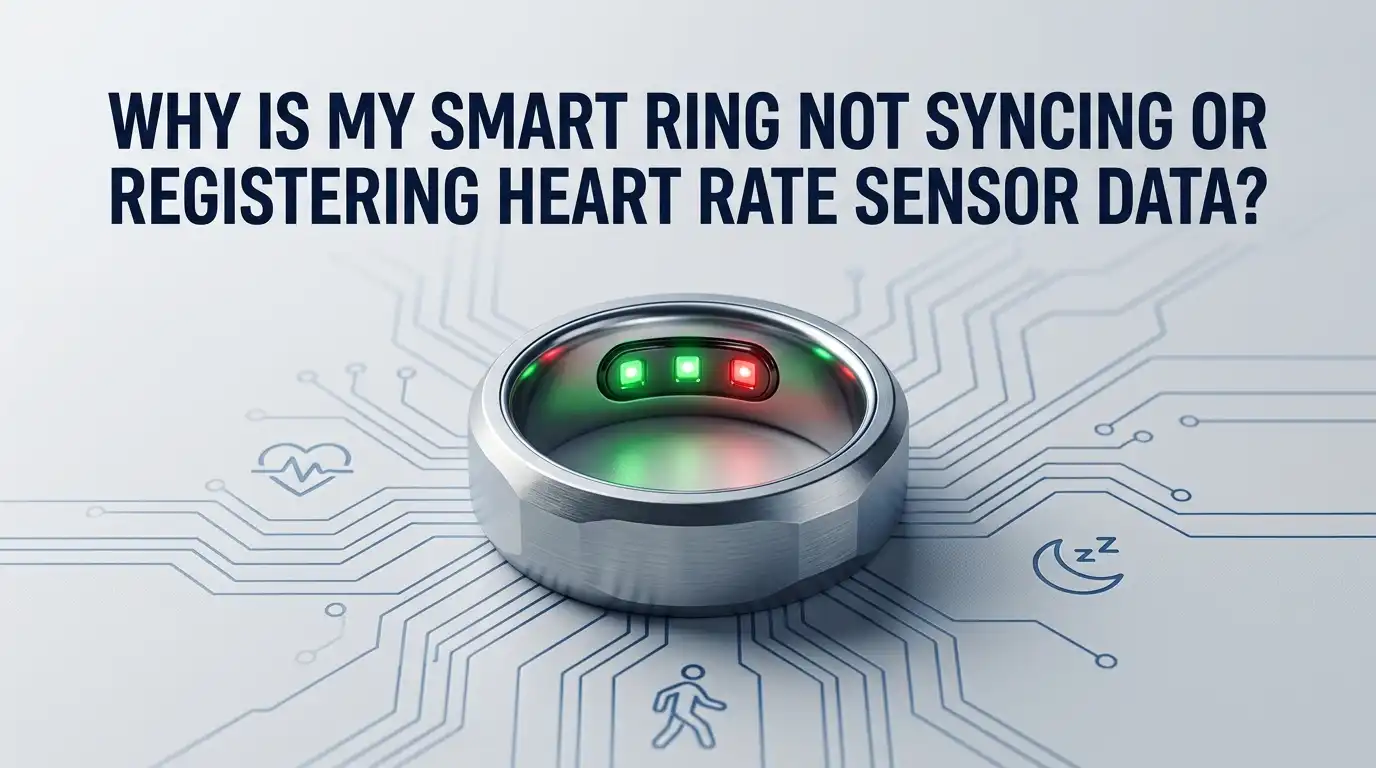
The first thing you should inspect is the inside of the ring. Smart rings use photoplethysmography, which means tiny green LEDs shine light into your skin and measure how blood absorbs it.
If the sensors are covered in skin oil, lotion, soap residue, or dead skin flakes, the light cannot reach your blood vessels.
Slip the ring off and look at the metal contacts and the small glass windows. They should look shiny and clear, not cloudy or smudged. Take a soft microfiber cloth and rub them gently. For stubborn buildup, dip a cotton swab in 70 percent isopropyl alcohol and wipe each sensor.
Pros: Quick, free, and solves most missing heart rate gaps. Cons: You need to clean often if you use hand cream or work with dirt. Alcohol used too aggressively can dull the finish on some plated rings, so wipe lightly.
Make Sure Your Ring Fits Correctly on the Right Finger
A poor fit is the second most common reason heart rate data goes missing. Your ring should sit snug but not tight, with the sensors facing the palm side of your finger. If you can spin the ring freely, the LEDs lose contact every time your hand moves.
Most brands recommend the index or middle finger of your dominant hand. The base of the finger gives the best blood flow signal. Cold weather shrinks your finger, so a ring that fits in summer may slide around in winter. Warm your hands before checking the fit.
Pros of resizing: Permanent fix and better all day accuracy. Cons: You may need to order a new size, which costs time and sometimes money depending on the brand’s exchange policy. Try switching fingers first before paying for a new ring.
Restart Your Phone and Toggle Bluetooth
Sometimes the ring is fine and your phone is the problem. Smart rings depend on a steady Bluetooth Low Energy connection to push heart rate data to the app. When your phone’s Bluetooth stack gets confused, the ring keeps recording but cannot upload.
Open your phone’s settings and turn Bluetooth off. Wait ten seconds and turn it back on. Then restart the phone completely. After the reboot, open your ring app and pull down to force a manual sync. This single trick fixes a surprising number of sync stalls.
Pros: Takes less than a minute and risks nothing. Cons: It is a temporary fix if the underlying issue is app or firmware related. If you find yourself doing this every day, move on to deeper steps below.
Update the Ring App and Firmware
Smart ring companies push frequent updates to fix sensor bugs, improve battery life, and patch sync errors. If you ignore these updates, your ring may keep failing in ways the maker already solved months ago.
Open your phone’s app store and check for an update to your ring app. Install it. Then open the app, go to the device settings, and look for a firmware update option. Place the ring on its charger and let the update finish without moving the ring. Firmware updates can take up to thirty minutes, so be patient.
Pros: Solves known bugs and adds new features. Cons: Updates occasionally introduce new problems, and a failed update can brick the ring. Always update with a full battery and a stable internet connection.
Charge Your Ring Fully Before Troubleshooting
A low battery is a sneaky cause of missing heart rate readings. Most smart rings switch off continuous monitoring once the charge drops below a set threshold, usually around 15 percent. You may see step data still recording while heart rate goes blank.
Place the ring on its charger and let it reach 100 percent. Watch the LED indicator or the app charge meter. A full charge usually takes 60 to 90 minutes. Once charged, wear the ring for at least two hours and check whether heart rate readings resume.
Pros: Easy to test and confirms whether the battery is the cause. Cons: If your ring no longer holds a full charge, the battery may be aging. Lithium batteries inside smart rings last about 18 to 24 months before noticeable decline.
Reset the Bluetooth Pairing Between Ring and Phone
When the pairing record between your ring and your phone gets corrupted, the two devices argue silently in the background. Heart rate data may sync once and then stop for hours. The fix is to break the pairing and start fresh.
Open your phone’s Bluetooth settings, find the ring in the list of paired devices, and tap Forget Device. Place the ring back on its charger to keep it powered. Open the ring app, go to the device section, and follow the pairing steps as if setting up a new ring.
Pros: Clears stuck connections and refreshes the link. Cons: You may need to reenter some preferences like workout types or sleep window settings. Your cloud data stays safe, so no health history is lost.
Perform a Soft Reset on the Smart Ring
A soft reset restarts the ring’s internal software without wiping any data. It is the equivalent of restarting a computer. Most ring brands let you trigger this from the app or by tapping the ring on a hard surface a set number of times.
For Oura rings, place the ring on the charger and let it sit for a minute. Tap the ring firmly on a desk three to five times and it reboots. For other brands like RingConn or Ultrahuman, check the app for a restart option in device settings.
Pros: Fast, safe, and keeps all your data. Cons: Does not fix deeper issues like sensor hardware failure. If a soft reset does not work after two tries, move on to a factory reset.
Try a Factory Reset as a Last Software Step
When nothing else works, a factory reset returns the ring to its out of the box state. This step wipes local settings but does not delete the health data stored in your cloud account. You can usually pull your history back after pairing again.
Open the ring app and look for Factory Reset under device settings. Confirm the action and wait for the ring to power down and restart. After the reset, remove the ring from your phone’s Bluetooth list and pair it as a new device. Allow the ring to sync for a full day before judging results.
Pros: Clears deep software bugs and stuck firmware states. Cons: You lose your custom workout tags, alarm settings, and other preferences. Health data stays in the cloud, so your sleep scores and heart rate history return after sync.
Check for Skin Conditions or Tattoos Under the Ring
This one surprises many users. Smart ring sensors rely on light bouncing off blood. Tattoo ink absorbs green light, which is the main wavelength used for heart rate. If you have a tattoo on your ring finger, the sensor may struggle to read your pulse.
Other skin issues like very dry skin, eczema patches, or a fresh sunburn can also reduce signal quality. Cold hands lower blood flow to the fingers and cause gaps in nighttime heart rate graphs. Warming your hands before sleep often helps.
Pros of switching fingers: Free and immediate. Pick a non tattooed finger with good blood flow. Cons: You may need to buy a new ring size for that finger. Some people find that index fingers work better than ring fingers for sensor contact.
Reinstall the Ring App From Scratch
Sometimes the app itself holds corrupted cache data that blocks new heart rate readings from showing up. Reinstalling forces the app to rebuild its local files and pull fresh data from the cloud.
Back up any local preferences first, then uninstall the ring app from your phone. Restart the phone, reinstall the app from the official app store, and log in with your existing account. Your cloud history loads back automatically. Pair the ring again if needed.
Pros: Fixes app side bugs that resets cannot touch. Cons: Takes 10 to 15 minutes and you may need to redo some app settings like notification preferences. On older phones, a clean install also frees up storage space, which helps the app run smoother.
Verify Background Permissions and Battery Optimization Settings
Modern phones aggressively kill background apps to save battery. If your ring app gets shut down in the background, it cannot receive heart rate data even when the ring is recording correctly. You will see big gaps in your daily chart.
Go to your phone’s settings, find the ring app, and check Battery or App Info. Turn off battery optimization or set it to unrestricted. Also grant location, Bluetooth, and physical activity permissions, since some apps need these to sync in the background.
Pros: Solves the most common cause of partial sync where some hours show data and others do not. Cons: The app may use slightly more battery on your phone. The tradeoff is usually worth it for full heart rate coverage during the day.
Contact Customer Support for Hardware Failures
If you tried every step above and your heart rate still refuses to register, the issue may be with the ring’s hardware. Sensors can fail, batteries can die early, and water damage can short the internal electronics.
Reach out to the manufacturer’s support team through the app or their website. Have your order number and ring serial number ready. Most smart ring brands offer a one or two year warranty that covers sensor failure. Describe the steps you already tried so they can fast track a replacement.
Pros: A new ring under warranty costs you nothing. Cons: You may go a week or two without your ring during shipping. Ask if the company offers an advance replacement program where they send a new ring before you return the broken one.
Frequently Asked Questions
Why does my smart ring show heart rate sometimes but not always?
Partial heart rate data usually points to fit and movement. When the ring spins on your finger, the sensors lose skin contact for short periods. Tighten the fit, wear the ring on a different finger, and check that the sensors face the palm side.
Can a wet or sweaty finger stop heart rate readings?
Yes, but only briefly. Most smart rings are water resistant and keep reading through sweat. However, soap film or chlorine residue can coat the sensors and block light. Rinse your hands and dry the ring after swimming or showering.
How long should I wait for the ring to sync after wearing it?
Most rings sync every 15 to 30 minutes in the background when the app is open. A full day of data syncs within one or two minutes after opening the app. If you wait an hour and still see no data, start the troubleshooting steps from the top.
Does cold weather really affect heart rate sensor data?
Yes. Cold reduces blood flow to your fingers, which weakens the signal that the optical sensor reads. You may see flat or missing heart rate during chilly mornings. Warm your hands or move the ring to a finger with better circulation.
Will resetting my ring delete my health history?
No. Your sleep scores, heart rate trends, and activity logs live in the cloud tied to your account. A factory reset only wipes settings on the ring itself. Once you log back in, your full history loads onto the app again.
Can I use my smart ring with two phones at the same time?
Most smart rings pair with only one phone at a time. Trying to connect a second phone can cause sync conflicts and missing heart rate data. Unpair from the old phone before setting up the ring on a new one.

Hi, I’m Jessamine Rowell, the founder and voice behind ResizeMake (https://resizemake.com/), a space where I share my love for technology with the world. I write detailed and honest reviews on the latest tech products, gadgets, electronic devices, and trending Amazon items to help readers make smarter buying decisions.