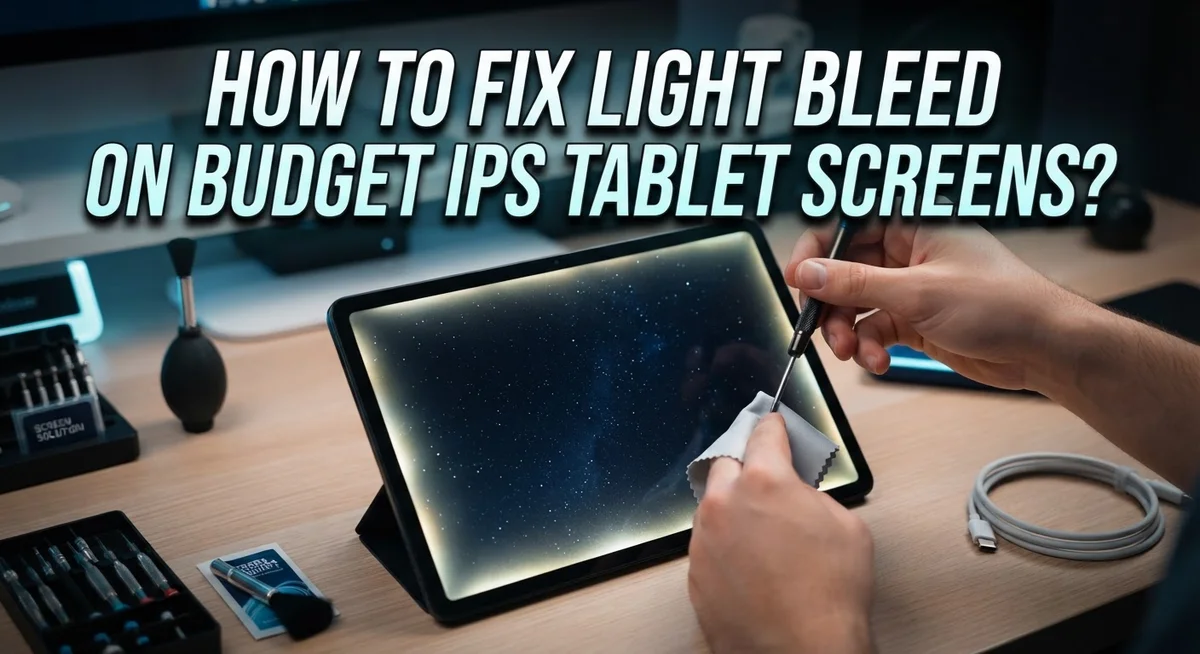
How To Fix Light Bleed On Budget IPS Tablet Screens?
Do you see a bright patch glowing at the edge of your tablet screen? This is called light bleed. It happens a lot on budget IPS tablets, especially in dark rooms or during movie nights.
The good news? You are not stuck with it. Many fixes exist that can reduce this annoying glow.
This guide walks you through simple, safe methods to try first. We will start with easy software tweaks like adjusting brightness and contrast. These small changes often make a big difference.
If that does not work, we will show you gentle physical fixes. You will learn how to press bezel edges correctly and use tools like a credit card to ease pressure points.
In a Nutshell
- Start soft, not hard. Lower your brightness and contrast first. This simple step often hides light bleed without touching the hardware.
- Check your angle. Light bleed looks worse from certain angles. Tilt your tablet to see if the glow fades.
- Try gentle pressure. Lightly press the bezel near the bleed spot. This can reseat loose screen layers.
- Use the card trick carefully. Slide a credit card between the frame and screen. Loosen it slowly to ease pressure points.
- Tape the edges, not the screen. Dark tape around the metal housing can block stray light. Never place tape directly on the display.
- Know the limits. Some backlight bleed comes from the manufacturing process. Budget screens may never look perfect, and that’s okay.
What Is Light Bleed and How Does It Differ From IPS Glow?
Light bleed and IPS glow sound similar, but they are actually two different problems. Understanding the difference helps you fix the right issue.
Light bleed is backlight leakage. It happens when light from the screen’s backlight escapes through the edges or corners. This creates a bright patch that looks like a glow coming from behind the screen. Light bleed is a manufacturing defect. It occurs when the backlight assembly is not sealed properly during production.
IPS glow is a viewing angle effect. It happens naturally with IPS panel technology. When you look at an IPS screen from an angle, the colors shift slightly and the screen appears brighter. This is normal behavior. IPS glow disappears when you view the screen straight on.
Here is the key difference: light bleed stays in the same spot no matter your viewing angle. IPS glow changes based on where you sit. If you move your head left or right and the bright patch moves with your angle, that is IPS glow. If the bright patch stays in the same corner or edge, that is light bleed.
Budget tablets often show both problems. The good news is that light bleed is fixable with the right approach. IPS glow cannot be fixed because it is part of how the panel works.
Why this matters for your fix: you should not waste time trying to eliminate IPS glow. Instead, focus on light bleed solutions. Test your tablet in a dark room first. This makes light bleed more visible. Then decide which problem you actually have. This saves you effort and prevents unnecessary adjustments.
Diagnosing the Problem: Confirming True Light Bleed
Before you start fixing anything, you need to confirm you actually have light bleed and not something else. This step saves you time and prevents unnecessary work.
Turn off all room lights and close your curtains. A dark environment is your best testing ground. Light bleed shows up most clearly when your surroundings are pitch black. If you cannot see the problem in darkness, it might just be IPS glow or reflection from ambient light.
Set your tablet to display a solid black screen. Many tablets have a black wallpaper option, or you can open a black image file. Avoid video or apps with moving content. You need a completely still, dark image to spot light bleed accurately.
Look at the edges and corners carefully. Light bleed appears as a bright glow or halo coming from the screen’s perimeter. It typically shows up at one or more corners or along the sides. The glow has a clear source point at the edge. This is different from IPS glow, which appears as a slight whitening when you tilt the screen at extreme angles.
Test your viewing angle. Tilt the tablet left, right, up, and down. True light bleed stays visible and bright from most angles. If the glow disappears when you view the screen straight on, you are likely seeing IPS glow instead.
Check the intensity. Does the bright area cover a small spot or a large section? Minor edge glow is normal on budget models. Significant bleed that covers a quarter of the screen or more indicates a real problem worth addressing.
Step 1: Non-Invasive Software and Display Adjustments
Your tablet’s software settings often hide the real cause of light bleed. Start by lowering your brightness level to about 40 percent. This simple step reduces the backlight intensity and makes edge glow much less visible.
Next, check your contrast setting. High contrast forces the backlight to work harder. Lower it to a moderate level (around 50 percent) and see if the bleed improves. Many people don’t realize how much contrast amplifies this problem.
Your viewing angle matters more than you think. Light bleed looks worse when you stare straight at the screen. Try tilting your tablet slightly away from you or to the side. Angle changes often make the glow disappear completely, which tells you the issue is less severe than it appears.
Test in normal room lighting, not darkness. You’ll notice that light bleed becomes invisible in bright environments. This proves the problem only bothers you in dim settings. Adjust your habits instead of your hardware.
Avoid extreme color temperature settings. Some tablets let you shift colors toward warm or cool tones. Stick with neutral settings. Warm colors can make edge glow look worse.
Turn off automatic brightness if your tablet has it. Auto brightness constantly adjusts your settings, which makes light bleed seem worse at certain times. Manual control gives you consistent results.
These software tweaks cost nothing and take five minutes. They often solve the problem completely for budget tablets. If light bleed still bothers you after these adjustments, you know it’s time for physical fixes. Start soft and simple before moving to more invasive solutions.
Step 2: Safe Physical Techniques to Reduce Edge Leakage
Physical techniques work best when software adjustments alone don’t solve the problem. These methods are safe if you follow them carefully and avoid forcing anything.
Gentle edge pressure is your first physical step. Use your fingertips to apply light, steady pressure along the screen edges and bezel where you see the light bleed. Press for 10 to 15 seconds at each spot. This sometimes helps the backlight layer reseat properly against the screen. Do not press hard or use your nails. Stop immediately if you feel any resistance.
The credit card method comes next if gentle pressure doesn’t work. Slide a standard credit card between the frame and screen at the problem area. Move it slowly and carefully. You want to loosen the frame slightly, not pry it open. This small gap can reduce how much light escapes. Remove the card after a few minutes and check if the bleed improves. Repeat only if needed.
Dark tape application helps contain visible light. Use electrical tape or dark masking tape around the metal housing edge on the back of your tablet. Apply it to the frame itself, never directly on the screen surface. This blocks light from escaping through gaps between components. Make sure the tape does not touch any display area.
Start with the gentlest technique first. Wait 24 hours after each method before testing results. Some light bleed is a manufacturing reality on budget tablets. Complete elimination may not be possible. If these physical fixes don’t help, your tablet may need professional service or replacement under warranty.
Step 3: Using Tape and Bezel Adjustments Correctly
Tape and bezel adjustments work best when combined correctly. Start by identifying exactly where light bleeds from your tablet’s edges. Press your tablet gently against a flat surface and look at the gap between the screen and the metal or plastic housing. Light escapes through these tiny spaces.
Dark masking tape or electrical tape stops light from spreading outward. Apply tape along the metal housing edge where the backlight sits, not on the screen surface itself. This distinction matters because tape on your screen causes viewing problems and won’t fix the actual issue. Run the tape around the entire perimeter, focusing on corners where bleed appears worst.
Loosen your bezel gradually if your tablet allows it. Some budget tablets have screws or clips holding the bezel frame. Opening these slightly creates space for light to escape upward instead of sideways toward your eyes. You only need millimeter adjustments. Turn each screw or clip a quarter turn, then test your screen in darkness. Stop if you hear cracking sounds or feel resistance.
Combine tape with gentle finger pressure on the housing edges. Press softly along the perimeter for thirty seconds. This sometimes pushes internal components back into position and reduces gaps.
Test your results in a completely dark room with a black screen. Check all corners and edges. Some light bleed may remain because budget IPS tablets have thinner bezels and cheaper backlight designs. Complete elimination often isn’t possible, but these methods reduce visible bleed significantly.
If your tablet has a removable case, remove it first. Cases sometimes compress the bezel and trap light inside, making bleed worse.
Tips for Preventing Light Bleed From Worsening
Light bleed often gets worse over time due to normal wear and tear. The key is stopping that progression before it becomes severe. Here’s how to keep your budget IPS tablet screen in the best condition possible.
Lower your brightness settings regularly. High brightness forces your backlight to work harder, which stresses the edges where light leaks occur. Keep your brightness at a comfortable level for your room instead of maxing it out. This simple habit extends your screen’s life and makes existing bleed less noticeable.
Reduce contrast intensity to a moderate level. Extreme contrast settings make light bleed much more visible because they push the backlight to its limits. A balanced contrast setting protects your screen from additional stress.
Avoid leaving your tablet on solid black screens for long periods. While black screens help you spot light bleed, they also force your backlight to work at maximum capacity in those areas. Use your tablet normally instead of constantly testing it.
Keep your tablet in a protective case. Physical pressure and accidental drops can worsen light bleed by damaging the screen housing or backlight connections. A case absorbs minor impacts that could aggravate existing leakage.
Store your tablet in moderate temperatures. Heat and cold both affect how your backlight functions. Extreme temperatures can cause materials to expand or contract, which worsens edge gaps where light escapes.
Handle your tablet gently. Avoid pressing hard on the screen or edges. Rough handling can loosen internal components and increase light bleed over time.
These prevention steps cost nothing and take minimal effort. They work best when you start them early, before light bleed becomes severe.
Common Mistakes That Damage Your Screen
Pressing too hard on your screen edges is the biggest mistake people make. Your fingertips can crack the LCD panel or damage internal components. Use gentle, light pressure only. If you feel resistance, stop immediately.
Applying tape directly to the screen surface causes permanent damage. Tape residue sticks to glass and leaves marks that won’t come off. Always place tape on the metal housing or bezel frame instead. Never tape the actual display area.
Using regular clear tape is another common error. Clear tape lets light pass through, defeating the purpose entirely. You need dark masking tape or electrical tape to block light effectively. The darkness stops backlight from escaping through the edges.
Forcing your bezel open too quickly damages clips and hinges. Budget tablets have fragile plastic frames that break easily. Loosen your bezel gradually and carefully. Work on one section at a time, not the entire frame at once.
Ignoring the fact that some light bleed is permanent causes frustration. Budget IPS tablets often have inherent manufacturing defects. Complete elimination may be impossible, no matter what you try. Accept that minor edge glow is normal on affordable models.
Applying pressure to the wrong spots wastes your effort. Light bleed happens at specific corners or edges, not everywhere. Identify exactly where the light leaks before you press or adjust anything. Test your tablet in darkness first to map the problem areas.
Using excessive contrast settings makes light bleed much more visible. High contrast forces your backlight to work harder. The brighter your display runs, the more obvious the edge leakage becomes. Keep contrast at moderate levels to reduce visibility of existing bleed.
Troubleshooting: When Light Bleed Won’t Improve
Sometimes light bleed persists even after you try all the basic fixes. This happens because budget IPS tablets often have manufacturing limits you cannot overcome. Understanding when to stop is just as important as knowing what to try.
Some backlight leakage is permanent on budget models. The screen’s internal structure has gaps where light escapes naturally. These gaps form during manufacturing and exist in most affordable tablets. Complete elimination may be impossible no matter what you do.
If gentle pressure, the credit card method, and tape application all fail, your tablet likely has a deeper backlight issue. The problem might be a loose diffuser panel inside the screen assembly. Accessing this requires disassembly, which risks permanent damage to your device.
Test your results fairly before giving up. Use a completely dark room with a black screen displayed. View your tablet from multiple angles. Sometimes what looks like light bleed at an extreme angle is actually normal IPS glow, which all IPS panels show.
Accept that some edge glow is acceptable. Most budget tablets ship with minor light bleed. If your bleed only appears in corners or at extreme viewing angles, your tablet performs within normal limits.
Consider whether the issue affects your actual use. If light bleed only shows during specific viewing angles or in dark rooms you rarely use, it may not impact your daily experience. Many users notice light bleed only when specifically looking for it.
If light bleed severely bothers you and nothing works, contact the manufacturer within your warranty period. Most companies offer replacements or refunds for significant manufacturing defects. Document your issue with photos taken in a dark room to support your claim.
Final Thoughts
Light bleed on budget IPS tablets can feel frustrating. But now you have a clear plan to handle it.
Start with the simple fixes first. Lower your brightness. Adjust your contrast. These small changes often make a big difference.
If software tweaks don’t help enough, try gentle physical methods. Press lightly along the edges. Use the credit card trick with patience. Remember, slow and careful movements protect your screen.
Not every tablet screen can become perfect. Some backlight leakage is simply part of budget manufacturing. This is normal and not a sign you did something wrong.
Your goal should be reducing light bleed, not eliminating it completely. Even expensive tablets show some glow in dark rooms. Budget screens will show a bit more.
Test your screen fairly after each fix. Watch shows or browse apps in normal lighting. This gives you a realistic view of the problem.
Avoid rushing the process. Quick fixes and rough handling often cause more harm than good. Patience protects your tablet’s internal parts.
If nothing works, that’s okay too. Many users learn to live with minor edge glow. It rarely affects daily tasks like reading, browsing, or watching videos.
For tablets still under warranty, reaching out to the manufacturer remains a smart option. They can offer replacement or repair when the defect is severe.
In the end, light bleed is a common issue on budget IPS screens. With the right steps, you can reduce it and enjoy a clearer viewing experience. Small adjustments, careful handling, and realistic expectations go a long way.
Your tablet doesn’t need to be perfect. It just needs to work well for you.
Frequently Asked Questions
Is light bleed the same as IPS glow?
No, they are different issues. IPS glow happens when you view the screen from an angle. The display naturally looks brighter or washed out from the side. This is normal for IPS panels.
Light bleed is actual backlight leakage. You see bright spots or halos, usually at the edges or corners. This happens even when you look straight at the screen. Light bleed is a manufacturing defect, not a viewing angle problem.
Can I fix light bleed with just software changes?
Yes, software adjustments help in many cases. Lower your brightness setting first. Reduce contrast intensity next. These changes make light bleed less noticeable on your display.
Adjust your viewing angle too. Sometimes sitting at a different position reduces visibility. Test your tablet in normal room lighting, not in a dark environment. Darkness makes light bleed appear worse than it actually is.
What’s the safest physical method to try?
Start with gentle pressure on the screen edges. Use your fingertips only. Press lightly along the bezel at spots where you see light bleed. Hold for a few seconds, then release.
If that doesn’t work, try the credit card method. Slide a credit card between the frame and screen edge. Loosen it very gradually. Do this slowly to avoid damaging internal clips.
Why shouldn’t I use tape on the screen itself?
Applying tape directly to your screen surface causes permanent damage. The adhesive leaves marks. It also traps dust and moisture underneath.
Instead, apply dark masking tape around the metal housing edge only. Never tape the actual display area. This protects the backlight without harming your screen.
Should I expect perfect results?
No. Some light bleed is inherent in budget tablet manufacturing. Complete elimination may be impossible. Your goal should be reducing the problem, not achieving perfection.
Test your screen fairly after each fix. Accept minor edge glow as normal. If nothing works and your tablet is under warranty, contact the manufacturer for support.

Hi, I’m Jessamine Rowell, the founder and voice behind ResizeMake (https://resizemake.com/), a space where I share my love for technology with the world. I write detailed and honest reviews on the latest tech products, gadgets, electronic devices, and trending Amazon items to help readers make smarter buying decisions.