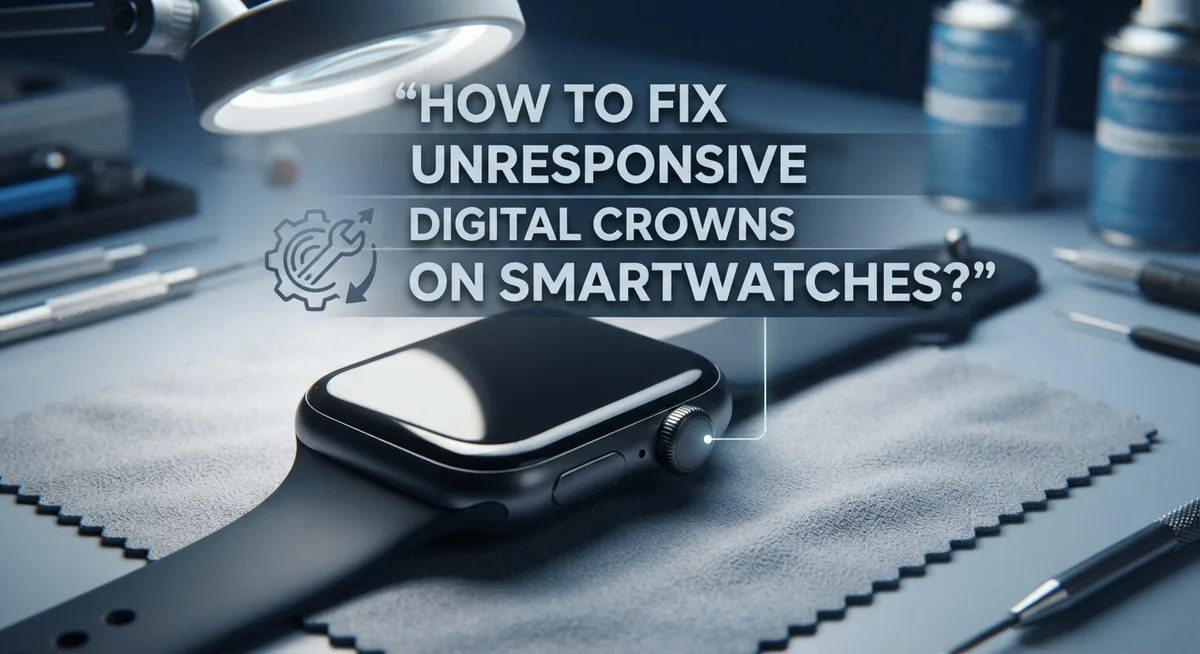
How To Fix Unresponsive Digital Crowns On Smartwatches?
Your smartwatch’s Digital Crown suddenly feels stuck. You turn it, but nothing happens on screen. This little problem can turn your smart device into a frustrating accessory.
Don’t panic just yet. An unresponsive Digital Crown is a common issue. It usually happens because of dirt, debris, or a snug-fitting case.
Sometimes water exposure from swimming or washing your hands causes the glitch too. The good news? Most fixes are simple and take only a few minutes.
In this guide, we will walk you through easy troubleshooting steps. You will learn how to clean your crown properly. We will also show you the right way to restart your watch.
In a Nutshell
- Check for blockages first. Remove any protective film or case that might block the crown’s movement. This is the most common cause of unresponsiveness.
- Clean the crown gently. Use a soft, lint-free cloth to wipe away dirt or debris around the crown area.
- Rinse with warm water. Hold your watch under warm running water for 10 to 15 seconds. This helps clear out hidden grime.
- Restart the smart way. Always restart your watch using the companion phone app instead of the watch itself. This method works better for fixing sensor glitches.
- Act fast after water exposure. If you just went swimming, rinse your watch immediately and clean it thoroughly before rebooting.
- Know when to get help. If pressing works but scrolling still fails after these steps, you likely have a sensor issue. It’s time to seek professional repair.
What Causes a Digital Crown to Become Unresponsive
Your digital crown becomes unresponsive for several clear reasons. Understanding these causes helps you fix the problem faster.
Debris and dirt are the most common culprits. The crown has tiny LED sensors and facets that detect your rotation movements. When dust, lint, or food particles collect around the crown, these sensors cannot read your input correctly. The crown physically moves, but the watch does not register your scrolling action.
Protective cases and films often block the crown entirely. Many people add screen protectors or case covers to their smartwatches. If these accessories extend over the crown area, they prevent proper contact and sensor detection. The crown becomes trapped or covered, making it impossible to use.
Water exposure causes unresponsiveness too. Swimming, showering, or washing your hands with your watch on can force moisture into the crown mechanism. Water interferes with the LED sensors and electrical connections inside. This typically happens suddenly after water contact.
Protective films that come on new watches sometimes stay attached by accident. People forget to remove these clear plastic sheets before using their device. The film blocks the crown’s movement and sensor function completely.
Sensor malfunction occurs less often but still happens. If debris cannot be removed or water damage is severe, the internal sensors may stop working. In this case, the crown moves physically but produces no response on screen.
Random failures develop over time as debris accumulates gradually. You might notice the crown works sometimes but fails other times. This pattern indicates progressive blockage rather than sudden damage.
Identifying your specific cause makes the solution much clearer and faster to apply.
How the Digital Crown Sensor Works
Your smartwatch’s digital crown uses LED sensors and rotating facets to detect when you turn or scroll it. Think of it like a tiny camera that watches the crown’s movement and sends signals to your watch.
Here’s how the system works in practice. When you rotate the crown, the LED light bounces off the facets inside. The sensor picks up these reflections and counts them. Each reflection equals one scroll action. Your watch then translates this into menu navigation or volume control.
The crown has multiple sensing points around its edge. This design lets the sensor detect rotation in any direction. It also helps the watch understand how fast you’re turning the crown. Quick turns register as rapid scrolling. Slow turns register as gentle navigation.
Water and debris are the sensor’s worst enemies. When dirt builds up around the crown, it blocks the LED light path. The sensor can’t see the facets clearly anymore. This is why your crown stops responding even though nothing feels physically broken.
Protective cases create another problem. They can cover the sensor area completely. The LED light never reaches the facets when a case sits too tight around the crown. This explains why removing your case sometimes fixes everything instantly.
The sensor itself rarely fails. Most unresponsiveness comes from something blocking the light path. Cleaning the crown area restores the sensor’s view of those rotating facets. Your crown starts working again because the LED can see clearly once more.
Understanding this simple mechanism helps you troubleshoot faster. You now know exactly what’s preventing your crown from working properly.
Step-by-Step Guide to Cleaning and Fixing the Crown
Start by examining your smartwatch closely. Look for any protective film or clear case covering the digital crown. These materials often remain on new watches and completely block sensor detection. Peel away any film you find around the crown area.
Next, inspect the crown itself for visible dirt or debris. You’ll likely see dust, lint, or dried residue around the edges. This buildup prevents the LED sensors from working correctly.
Grab a soft, lint-free cloth and gently wipe around the crown. Use circular motions and light pressure. Don’t scrub hard or use rough materials, as these can scratch the sensor surface.
Now rinse your watch under warm running water for 10 to 15 seconds. Let the water flow around the crown from multiple angles. This removes debris trapped in tight spaces. Pat your watch dry immediately with a clean cloth.
Here comes the important part: restart your watch using the companion phone app, not the watch itself. This method performs a deeper reset and often restores crown function. Open the app, find settings, and select restart or force restart.
Wait a few minutes after restarting. The crown sometimes needs time to recalibrate its sensors.
Test the crown by scrolling through your watch menu. Try both rotating and pressing motions. If scrolling works but pressing fails (or vice versa), you likely have a sensor issue requiring professional service.
If your watch recently went swimming, repeat this entire process. Water exposure often causes delayed problems, so act immediately after water contact. Thorough cleaning and a phone app restart resolve most cases within minutes.
Special Steps After Water Exposure or Swimming
Water exposure creates unique challenges for your digital crown. When your smartwatch gets wet during swimming or water activities, moisture can seep into the sensor area and cause temporary or lasting unresponsiveness.
Act immediately after water exposure. Remove your watch from the water right away. Do not wait or assume it will dry on its own. The longer moisture sits near the crown, the more damage it can cause to the LED sensors inside.
Rinse your watch under fresh, warm running water for 10 to 15 seconds. This step sounds simple, but it matters greatly. Fresh water removes salt, chlorine, and other pool or ocean chemicals that corrode the sensor components. Use your fingers to gently rub around the crown area while rinsing.
After rinsing, pat your watch dry with a soft cloth. Make sure you dry the crown area completely. Leave your watch in a warm, dry space for several hours if possible. This allows any remaining moisture to evaporate naturally.
Next, restart your watch using the companion phone app on your smartphone, not the watch buttons themselves. This restart helps the system recalibrate the crown sensors after water exposure.
Test your crown by scrolling slowly through your watch menu. If it still does not respond, repeat the entire rinsing and drying process one more time.
Important note: If your watch is not water resistant, water exposure may cause permanent damage. Check your watch specifications to understand its water resistance rating. Some watches handle splashes fine but fail during full submersion.
If the crown remains unresponsive after these steps, the internal sensors may have sustained damage. Professional repair becomes your best option at this point.
Restarting Your Smartwatch the Right Way
Restarting your smartwatch properly can fix many digital crown issues. This step matters because a simple restart clears temporary glitches that block sensor communication.
Use your phone app to restart, not the watch itself. Open the companion app on your smartphone and find the settings menu. Look for the restart or reboot option. This method works better than pressing buttons on your watch because it performs a complete system refresh.
Before you restart, make sure your watch has at least 20 percent battery remaining. A low battery can cause the restart to fail or get stuck midway.
Wait about two minutes after the restart completes. Your watch needs time to fully boot up and reload all its software. During this time, avoid touching the digital crown or any other buttons.
Once the restart finishes, test the crown by scrolling slowly through your watch menu. Scroll up and down several times to check if it responds properly. Pay attention to whether scrolling feels smooth or if it skips any movements.
If the crown still doesn’t work after restarting, the problem likely involves physical obstruction or water damage rather than software issues. Go back and repeat the cleaning process with extra care around the crown edges.
Important note: Never force the crown while testing it. Gentle, natural movements give you the most accurate results. If your watch shows no response even after cleaning and restarting, internal sensor damage may have occurred, and professional repair becomes necessary.
Common Mistakes That Make the Problem Worse
Many people make mistakes that actually make their digital crown problem worse instead of better. Understanding these common errors helps you avoid them.
The biggest mistake is leaving a protective case or screen protector on your watch. These accessories often block the crown’s sensors. Remove all cases and films before cleaning or troubleshooting. The crown needs direct access to air and your cleaning cloth to work properly.
Another frequent error is using the wrong cleaning method. People often grab tissues, paper towels, or rough cloths that can scratch the crown. These materials also leave behind fibers that create more debris. Always use a soft, lint-free cloth instead. Avoid paper products completely.
Inadequate cleaning causes problems too. Simply wiping the crown once isn’t enough. Dirt and debris hide in the tiny spaces around the crown’s edges. You need to clean thoroughly, getting into all the crevices where particles accumulate.
Many people restart their watch from the watch itself rather than using the phone app. This restart method doesn’t work as well for fixing crown issues. Always restart using your companion app on your smartphone. The phone app restart performs a more complete reset.
Ignoring water exposure is another critical mistake. If your watch got wet, people sometimes skip the rinsing step or don’t restart afterward. Water trapped inside the crown mechanism causes sensor failure. Act immediately after any water contact.
Finally, people give up too quickly. They try one cleaning attempt and assume the crown is broken. Give your watch time between attempts. Wait a few minutes after restarting before testing again. Patience often resolves the issue without needing repairs.
Troubleshooting: When Pressing Works but Scrolling Doesn’t
Your digital crown presses fine, but scrolling feels stuck? This specific problem points to a sensor issue rather than a mechanical failure. The crown has LED sensors that detect rotation, and something is blocking their ability to sense movement.
Start by checking if a protective case or film covers your crown. Many people forget this simple step. Even a thin layer of protection can prevent sensors from working properly. Remove any case or film around the crown area completely.
Next, clean around the crown carefully. Use a soft, lint free cloth and wipe the edges where the crown meets your watch body. Debris like dust or lint accumulates there and disrupts sensor function. Spend extra time on this area since pressing works but scrolling doesn’t, meaning the mechanical part functions but the sensor detection fails.
Rinse your watch under warm running water for 10 to 15 seconds. Let water flow around the crown edges gently. This removes trapped particles that your cloth might miss. Pat everything dry with a soft cloth afterward.
Now restart your watch using your phone app, not the watch buttons. Open your companion app on your smartphone and locate the restart option in settings. Wait about two minutes for your watch to fully boot up and reload its software.
Test the crown by scrolling slowly through your menu. If scrolling now works, the sensor just needed cleaning and a fresh start. The pressing function worked all along because it uses a different mechanical mechanism than scrolling does.
If scrolling still fails after these steps, your watch likely needs professional repair. The internal sensors may have sustained damage that cleaning cannot fix.
When to Seek Professional Repair
Professional repair becomes necessary when your smartwatch’s digital crown remains unresponsive after you’ve completed all basic troubleshooting steps. Know when to stop troubleshooting and seek expert help.
If cleaning, rinsing, and restarting haven’t resolved the issue, your watch likely has internal damage. The LED sensors inside your crown may have suffered water damage or mechanical failure. These components require specialized tools and expertise to replace safely.
Contact a professional repair service if these situations apply to you: Your crown doesn’t respond at all, even after thorough cleaning. The crown feels physically loose or damaged. Water got inside your watch and the crown stopped working afterward. You’ve restarted multiple times with no improvement. Your watch still has warranty coverage remaining.
Professional technicians can diagnose the exact problem through testing equipment you don’t have at home. They can determine whether the issue involves the sensor, the mechanical components, or internal water damage. This diagnosis helps you understand if repair makes sense financially.
Before visiting a repair center, document what you’ve already tried. Tell the technician about any water exposure your watch experienced. Mention whether you’ve cleaned the crown and how many times you’ve restarted. This information helps them work faster and more accurately.
Some manufacturers offer mail in repair services through their official channels. Others have authorized service centers in your area. Check your watch’s warranty first, as some damage gets covered at no cost.
Don’t attempt to open your watch yourself. You risk causing more damage and voiding any remaining warranty. Professional repair protects your investment and restores your crown’s full functionality properly.
Final Thoughts
A stuck digital crown feels frustrating, but most fixes are simple. Debris, dirt, and protective cases cause the majority of these problems.
You now know the basic steps. Remove obstructions first. Clean gently. Rinse with warm water. Then restart properly through your phone app.
Patience matters during this process. Rushing through steps often means missing the actual cause. Take your time with each stage before moving to the next.
Remember that water exposure needs quick attention. Rinsing right after swimming or showering prevents debris from settling deeper into the crown mechanism.
Your smartwatch depends on tiny sensors to detect movement. These sensors are sensitive to moisture, dust, and grime. Regular cleaning keeps them working smoothly.
Small habits protect your device over time. Wipe your watch after workouts. Rinse it after swimming. Avoid touching the crown with wet or dirty fingers.
If basic troubleshooting doesn’t work, don’t force the crown or try aggressive fixes. This can cause more harm than good.
Professional help exists for a reason. Technicians have tools and training that home methods cannot match. Reaching out early saves your watch from further damage.
Think of crown care as routine maintenance, not just an emergency fix. Checking for debris occasionally helps you catch problems before they grow serious.
Most smartwatch owners face this issue at some point. It’s a common problem with a common solution.
Stay calm and methodical. Follow the steps in order. Give your watch time to respond after each fix.
With the right care, your digital crown should work smoothly again. And if it doesn’t, professional repair remains a reliable backup option.
Frequently Asked Questions
Why does my digital crown stop working randomly?
Random unresponsiveness usually happens because debris builds up around the crown over time. Dust, lint, and dirt block the LED sensors that detect your rotation movements. Water exposure can also cause this problem, especially after swimming or showering. The moisture interferes with the sensor’s ability to register your input accurately.
Can I fix pressing that works but scrolling that doesn’t?
Yes, this specific issue points to a sensor problem rather than a mechanical one. The crown’s press function uses different sensors than scrolling does. Start by removing any protective case or film covering the crown. Then clean gently around the crown with a soft, lint-free cloth. Rinse under warm running water for 10 to 15 seconds. Restart your watch using your phone app. Test scrolling slowly through your menu. If scrolling still fails, the sensor likely needs professional attention.
Should I restart my watch using the watch buttons or my phone app?
Use your phone app to restart instead of the watch buttons. The phone app performs a more complete reset that clears temporary glitches affecting the crown’s sensors. Watch button restarts often miss background processes that interfere with digital crown function.
How do I clean my crown without damaging it?
Use only a soft, lint-free cloth for gentle wiping around the crown. Avoid paper towels or rough materials that scratch the surface. For rinsing, use fresh, warm water and keep it brief (10 to 15 seconds). Never use soap, alcohol, or cleaning solutions. Pat dry with a soft cloth afterward. Let it air dry completely before using your watch again.

Hi, I’m Jessamine Rowell, the founder and voice behind ResizeMake (https://resizemake.com/), a space where I share my love for technology with the world. I write detailed and honest reviews on the latest tech products, gadgets, electronic devices, and trending Amazon items to help readers make smarter buying decisions.