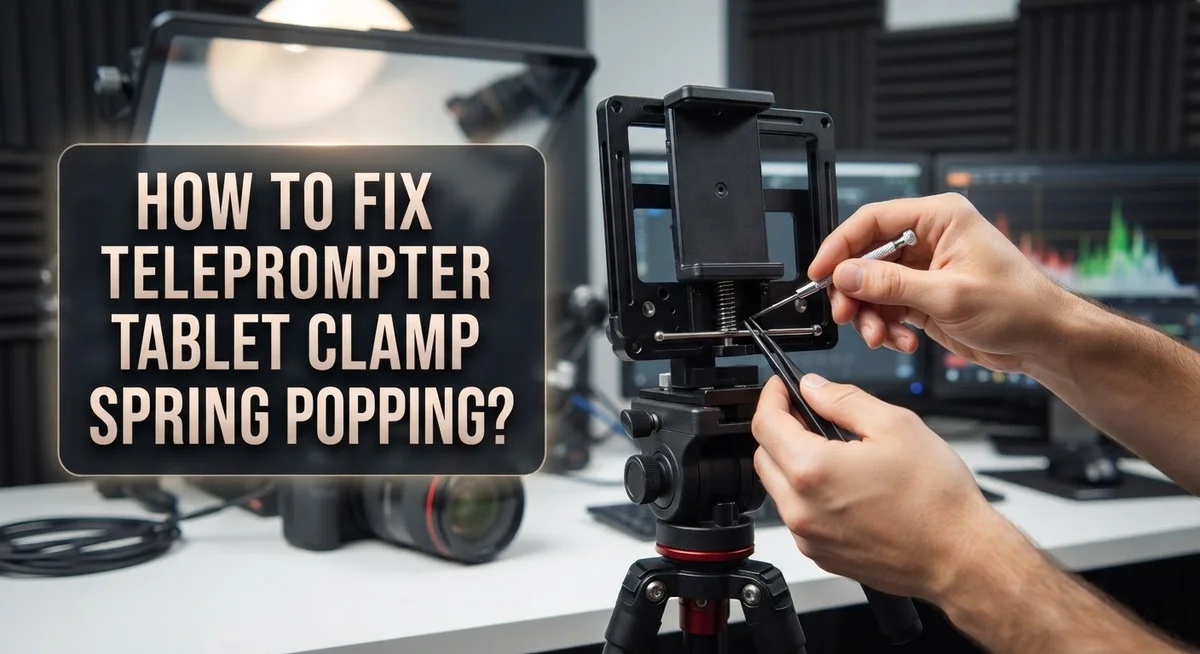
How To Fix Teleprompter Tablet Clamp Spring Popping?
Your teleprompter tablet clamp spring pops loose right before a big shoot. The tablet wobbles. Your script slides out of view. It feels like a small problem, but it can ruin an entire recording session.
This issue happens more often than you think. Loose screws, worn pads, and weak springs all play a part. Over time, the clamp loses its grip and the tablet starts slipping.
The good news is that you can fix this problem yourself. You do not need to buy a new teleprompter or send it for repair.
In a Nutshell
- Tighten every screw first. Loose hardware is the number one cause of spring popping. Check all connection points before you blame the spring itself.
- Add padding for extra grip. Rubber washers or anti-slip pads stop the tablet from wobbling inside the clamp. This small fix often solves the whole issue.
- Trim or replace worn parts. If pads look damaged or stretched, cut them to the right size or swap them out. Old components lose their grip over time.
- Use epoxy for lasting strength. When a spring feels weak even after tightening, epoxy can reinforce the joint. This gives your clamp extra holding power.
- Check all your connections. Make sure the teleprompter, camera, and tripod are locked together properly. A shaky base often causes spring failure too.
- Try Velcro strips as backup support. These add extra stability without replacing your existing clamp. They work great as a quick fix during shoots.
Following these steps keeps your setup steady and stops that annoying spring pop for good.
Understanding Why Teleprompter Clamp Springs Pop
A teleprompter tablet clamp spring pops when the metal or plastic spring loses tension. This happens because the spring can no longer hold your tablet firmly in place. Understanding why this occurs helps you fix it faster.
Loose hardware is the primary culprit. When screws and bolts connecting the clamp to your tablet become loose, vibration builds up. This vibration causes the spring to weaken over time. Eventually, the spring gives way and your tablet slips out or bounces around.
Worn padding creates another common problem. Rubber washers and anti-slip pads protect your tablet from direct contact with the metal clamp. Over time, these pads compress, flatten, or crack. Once the padding deteriorates, the clamp no longer grips your tablet securely. The spring then loses its ability to hold everything in place.
Material fatigue also plays a role. Springs are metal components that flex repeatedly during use. Each time you tighten or loosen the clamp, the spring experiences stress. After months or years of this movement, the metal fatigues. The spring loses its original tension and can no longer maintain a firm grip.
Environmental factors matter too. Temperature changes cause metal parts to expand and contract. This constant movement can loosen fasteners gradually. Humidity and dust also affect rubber pads, causing them to deteriorate faster than expected.
Poor installation practices contribute as well. If you assemble your teleprompter incorrectly, certain components may sit at awkward angles. This puts uneven pressure on the spring. The spring then bears more load than it should, failing prematurely.
Recognizing these causes early prevents bigger problems. Watch for signs like slight wobbling, creaking sounds, or the tablet shifting position. These warning signs mean your clamp needs attention soon. Addressing these issues immediately stops the spring from popping completely.
Tools and Materials You’ll Need Before Starting Repairs
Before you start fixing your teleprompter tablet clamp spring, gather the right tools and materials. Having everything ready makes the repair faster and prevents frustration mid project.
Basic hand tools form the foundation of your repair kit. You’ll need a set of screwdrivers in various sizes, including both Phillips and flathead options. A wrench or adjustable wrench helps you tighten bolts that hold the clamp assembly together. Keep a pair of pliers nearby for gripping and bending small metal components if needed.
Measuring and inspection tools help you assess the damage accurately. A ruler or measuring tape lets you check spring tension and component alignment. A flashlight or headlamp illuminates tight spaces where the clamp connects to your tablet holder.
Materials for reinforcement and padding are essential for fixing wobbling issues. Rubber washers reduce vibration between metal parts and your tablet surface. Anti slip pads or foam strips add grip where the clamp contacts your device. These materials prevent your tablet from shifting during broadcasts or recordings.
Replacement components may be necessary depending on damage severity. Extra springs in various sizes give you options if the original spring is too worn. Replacement clamp pads come in handy if existing padding is stretched or damaged beyond repair.
Adhesive and reinforcement supplies address spring weakness. Epoxy resin bonds loose joints and strengthens metal connections. Sandpaper in medium and fine grits prepares surfaces for better adhesion if you use epoxy.
Cleaning supplies ensure your work area stays organized. A soft cloth wipes away dust and debris from clamp components. A small container holds loose screws and springs so nothing gets lost during disassembly.
Organize all these items on a clean, flat workspace before beginning repairs. Good preparation saves time and prevents losing small parts that are hard to replace.
Step-by-Step Guide to Fixing a Popping Clamp Spring
Start by gathering everything you need before touching your teleprompter clamp. Having the right tools prevents frustration and speeds up the repair process.
Basic hand tools form your foundation. You’ll want a screwdriver set with both Phillips and flat head options. A wrench or adjustable wrench handles any bolts on your setup. A socket set works well for different sized fasteners. Keep pliers handy for gripping and adjusting small components.
Measuring and inspection tools help you see what’s actually broken. A ruler or measuring tape shows you exact dimensions. A flashlight lets you examine tight spaces inside the clamp. Your smartphone camera can zoom in on small damage areas.
Materials for reinforcement and padding stop future wobbling. Rubber washers go between the clamp and tablet to absorb shock. Anti slip pads stick to surfaces and grip better than bare plastic. Foam strips provide cushioning in gaps. Velcro strips offer temporary extra holding power.
Replacement components depend on your damage level. Spring replacements are available if the original is permanently bent. Clamp pads wear out and need swapping. Screws and bolts sometimes strip and require new ones.
Adhesive and reinforcement supplies strengthen weak springs. Epoxy putty bonds metal pieces together. Super glue works for small cracks. Two part epoxy creates lasting repairs on metal springs.
Cleaning supplies keep your workspace organized. Microfiber cloths wipe away dust and debris. Isopropyl alcohol cleans surfaces before repairs. A small trash bag collects old pads and worn parts.
Organize everything on a clean, flat surface. Lay tools out in order of use. Place materials in separate piles so you find them quickly. This setup prevents losing small screws or forgetting steps. You’re now ready to start the actual repair work on your clamp spring.
Reinforcing the Clamp with Padding and Epoxy
Reinforcing your clamp with padding and epoxy creates a stronger, more stable setup. This approach addresses both the immediate popping issue and prevents future problems.
Start by identifying where the spring contacts your tablet. The connection points between metal clamp and tablet surface need cushioning. Rubber pads or foam layers absorb vibration that causes spring fatigue. Cut padding pieces to fit snugly in these contact zones without adding bulk.
Clean the clamp surface thoroughly before applying any padding. Remove dust, debris, and old material that might prevent proper adhesion. A clean surface ensures your reinforcement stays in place during use.
Apply your chosen padding material to the clamp’s inner surfaces. Press firmly so each piece bonds completely. The goal is creating a soft barrier between hard metal and your tablet’s screen or case.
Once padding is in place, consider epoxy reinforcement for the spring itself. Epoxy hardens weak or fatigued springs by adding structural support. Mix epoxy according to package instructions and apply a thin layer along the spring’s length.
Let the epoxy cure fully before reassembling. Curing time varies by product type, so check the instructions. Rushing this step compromises the reinforcement’s effectiveness.
After everything dries, test the clamp’s grip strength. The tablet should feel secure without excessive tightness. Adjust padding thickness if needed to achieve proper balance.
Add anti-slip pads to the clamp’s exterior surfaces too. These prevent the entire clamp from sliding on your teleprompter frame. Velcro strips work well for this purpose and allow easy repositioning.
Tighten all mounting hardware one final time. Loose bolts undermine your padding and epoxy work. Check connections every few weeks to catch any loosening early.
This reinforcement approach extends your clamp’s lifespan significantly. Regular inspection catches wear before springs pop again.
Preventing Future Spring and Clamp Failures
Regular maintenance stops spring and clamp failures before they start. Check your entire setup once a week to catch problems early.
Inspect all connection points between your teleprompter, camera, and tripod. Loose hardware vibrates during use. This vibration weakens springs over time. Tighten every screw and bolt you find. Use your hand tools to ensure connections stay firm.
Add protective materials to reduce stress on the clamp spring. Rubber washers between metal parts absorb shock and vibration. Anti-slip pads on the clamp’s interior surfaces grip your tablet securely without excessive force. These materials prevent the spring from working too hard.
Replace worn padding regularly. Padding compresses with use and loses its cushioning ability. When padding becomes thin or flattened, the clamp grips harder to compensate. This extra pressure damages the spring faster. Replace padding every few months depending on usage.
Monitor for early warning signs. A wobbly tablet or slight creaking noise means problems are developing. Address these issues immediately. Don’t wait until the spring pops completely.
Keep your device firmware current. Software updates sometimes improve hardware stability features. Restart your tablet regularly to clear temporary issues that might affect the clamp mechanism.
Use supplementary stabilization methods. Velcro strips applied to the frame edges provide extra grip without stressing the spring clamp. This backup support reduces the load on your primary clamp.
Store your teleprompter properly. Keep it in a padded case when not in use. Protect it from temperature changes and humidity, which affect metal springs and rubber components.
Document your maintenance schedule. Write down when you tighten hardware, replace padding, and inspect connections. This record helps you identify patterns and stay consistent with prevention tasks.
Consistent maintenance keeps your teleprompter working reliably for years.
Common Mistakes That Worsen Clamp Instability
Loose hardware creates the biggest problem when your clamp spring starts popping. Every screw and bolt connects parts together. When these connections loosen, vibration builds up during use. This vibration stresses your spring repeatedly. Over time, the spring weakens and fails completely.
Many people ignore early wobbling signs. Your tablet shifts slightly in the clamp. You notice small movements but keep working. This is your warning signal. Ignoring it means the spring will pop soon. Address wobbling immediately before damage spreads.
Inadequate padding between the clamp and tablet causes major issues too. Your tablet needs cushioning material in contact zones. Without proper padding, metal clamp surfaces press directly against your device. This creates pressure points that damage both the tablet and the clamp mechanism. The spring works harder to maintain grip, wearing out faster.
Overtightening the clamp is another common mistake. You think tighter means more stable. Actually, excessive force damages the spring prematurely. The spring compresses beyond its design limits. Metal fatigues faster under constant strain. Your spring loses its natural tension and pops during normal use.
Poor maintenance compounds these problems significantly. Dust and debris collect inside the clamp mechanism. This buildup prevents smooth operation. The spring must fight against particles to function. Friction increases, causing faster wear.
Mixing different clamp types creates compatibility problems too. Various teleprompter models use different spring designs. Forcing incompatible components together stresses the mechanism. Parts don’t align correctly. The spring bears uneven pressure and fails.
Using damaged or worn replacement pads makes everything worse. Old pads compress and harden over time. They no longer cushion your tablet properly. The clamp loses its grip, forcing the spring to work overtime. Replace pads before they become completely ineffective.
Troubleshooting Persistent Wobbling and Connectivity Issues
Wobbling and connectivity issues often go hand in hand with spring clamp problems. When your tablet clamp starts popping, the entire setup becomes unstable. This instability then creates wireless connectivity problems because devices lose their secure positioning.
Start by checking every connection point. Loose screws between your teleprompter, camera, and tripod are the main culprits. Even tiny gaps cause vibration that makes springs pop repeatedly. Tighten each screw firmly but don’t force them. Use the correct tool size to avoid stripping threads.
Wireless connectivity suffers when your tablet moves around. A wobbly tablet drifts away from your wireless receiver or transmitter. This breaks the signal path and causes dropouts during recording. Stabilizing the clamp fixes both problems at once.
Add rubber materials between the clamp and tablet to reduce movement. These pads absorb vibration and keep your tablet steady. They also reduce the stress on your spring clamp. Replace any flattened or hardened pads immediately. Worn pads compress over time and lose their grip.
Check your device firmware regularly. Outdated software sometimes causes wireless interference or connection drops. Restart both your tablet and receiver if you notice disconnections. This simple step clears temporary glitches that affect signal strength.
Use supplementary stabilization if wobbling persists. Velcro strips attached to the frame edges provide extra grip without damaging your tablet. Layer multiple thin strips rather than one thick one for better results.
Position your wireless equipment away from other electronics. Microwaves, routers, and phones create interference that disrupts connectivity. Keep at least three feet between your teleprompter system and these devices.
Test your setup before each recording session. Gently push the tablet from different angles to check for movement. Listen for any popping sounds from the spring. Catching problems early prevents failures during important shoots and keeps your wireless connection stable throughout your work.
Final Thoughts
A popping clamp spring feels frustrating, but you now have the tools to fix it. Simple fixes like tightening screws and adding rubber pads solve most problems quickly.
Your teleprompter setup depends on stable connections. Every screw, pad, and spring plays a role in keeping your tablet secure during recording sessions.
Remember that prevention beats repair every time. A few minutes of regular checking saves you from mid-shoot equipment failures and frustrating delays.
Don’t wait for total spring failure before taking action. Small wobbles and slight movements are early warnings that something needs attention right away.
Your camera setup deserves the same care as your other gear. Treat the clamp spring as an important part of your entire recording chain, not just a small accessory.
Testing your setup before important shoots makes a huge difference. Run through your equipment checklist a day early so you catch problems with time to spare.
Keep spare parts on hand when possible. Extra pads, screws, and basic tools help you handle unexpected issues without stopping your entire production schedule.
Many creators face this same clamp spring problem. You’re not alone in dealing with wobbly tablets and popping springs during busy recording days.
The good news is that most fixes are simple and affordable. You don’t need expensive replacements or professional repairs for typical spring and clamp issues.
Patience helps during the troubleshooting process too. Take your time checking each connection point rather than rushing through repairs under pressure.
Your teleprompter should support your content creation, not distract from it. A stable, well maintained clamp system lets you focus on your script and delivery instead.
Apply these fixes today and watch your setup transform. Your tablet will stay secure, your recordings will look more professional, and your confidence will grow with each successful session.
Frequently Asked Questions
Why does my tablet clamp spring keep popping out?
A popping spring clamp usually means loose hardware somewhere in your setup. Check every screw and bolt connecting your teleprompter to the camera and tripod. Even small gaps allow vibration, which pushes the spring out of place. Inadequate padding between the clamp and tablet also causes this problem. The tablet slides around, and the spring loses tension.
Can I fix a popping clamp spring myself?
Yes. Start by tightening all mounting screws firmly but not excessively. Add rubber washers or anti-slip pads where the clamp touches your tablet. These materials reduce wobbling and keep the spring seated properly.
If pads look worn or compressed, trim them to the correct length or replace them entirely. For extra reinforcement, you can apply epoxy to cracked or damaged clamp sections.
What’s the quickest way to stabilize a wobbly tablet?
Tighten every connection point first. Then add Velcro strips along the frame edges for supplementary grip. Rubber materials between the clamp and tablet work best for immediate stability.
Test your setup by gently pushing the tablet from different angles. It should not move or rattle.
How do I prevent spring clamp problems in the future?
Perform regular maintenance checks. Inspect pads for compression or hardening every few weeks. Keep spare rubber washers and anti-slip materials on hand.
Before important shoots, test your entire setup. Ensure all screws are secure and the tablet sits flush in the clamp. This simple step catches problems early.

Hi, I’m Jessamine Rowell, the founder and voice behind ResizeMake (https://resizemake.com/), a space where I share my love for technology with the world. I write detailed and honest reviews on the latest tech products, gadgets, electronic devices, and trending Amazon items to help readers make smarter buying decisions.