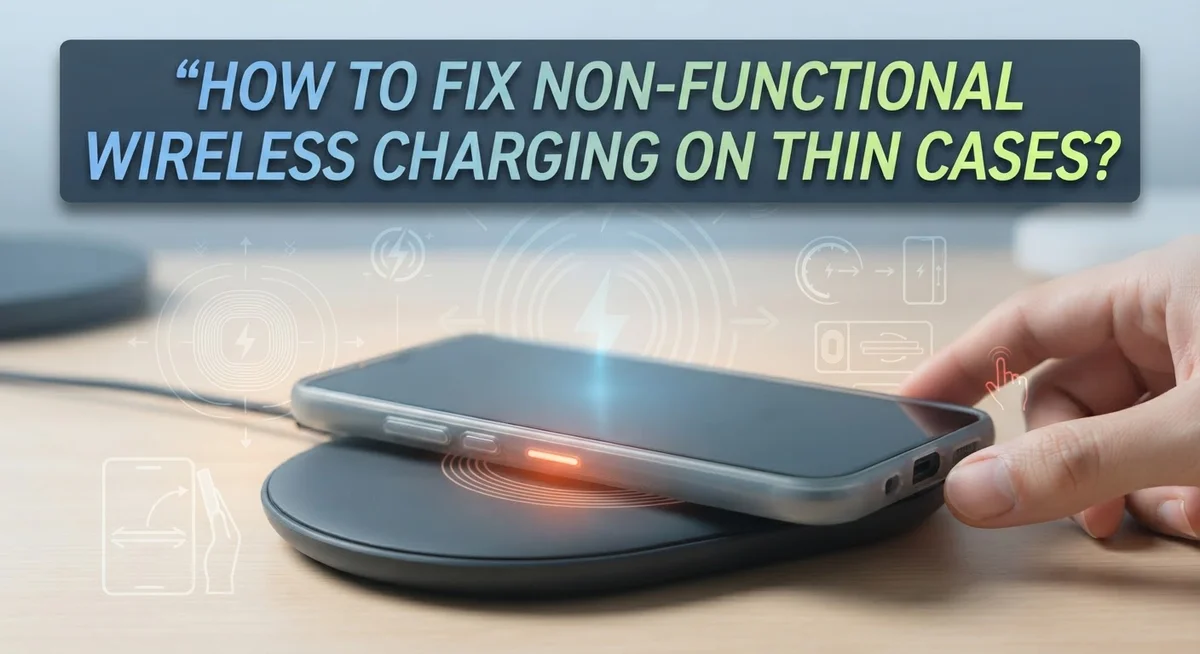
How To Fix Non-Functional Wireless Charging On Thin Cases?
Your phone sits on the wireless charger, but nothing happens. The screen stays dark, and no lightning bolt icon appears. This problem frustrates many phone owners, especially those with thin cases.
You might think a slim case would never block wireless charging. But even thin materials can create issues. Some cases have hidden metal parts. Others simply do not align well with your charging pad.
MagSafe cases cause a surprising number of these problems too. Many users report failures even though these cases claim full compatibility. The magnets do not always line up correctly with your charger.
In a Nutshell
- Case material matters more than you think. Aluminum and metal components block the charging signal completely. Always check what your case is made from before you troubleshoot further.
- Clean your charging port first. Dust and lint buildup in the Lightning port can cause connection issues. This simple step takes seconds and fixes many problems.
- Alignment is everything with MagSafe. Your phone needs to sit exactly right on the charging pad. Even a slight offset stops the charge from working.
- Thinner cases work better than bulky ones. If your current case still fails, try switching to a slimmer design. Removing the case entirely helps you test if the case is truly the problem.
- Check your pockets for metal objects. Credit cards or metal cards stored in case pockets interfere with charging. Remove them before placing your phone on the charger.
- Test without the case to confirm speed. Charging works faster and more reliably without any case at all.
Why Thin Cases Can Still Block Wireless Charging
Thin cases block wireless charging more often than people realize. Even a slim protective cover can interfere with the magnetic field between your phone and the charger pad. The problem gets worse depending on what your case is made from.
Aluminum cases are the biggest culprit. Metal materials completely disrupt wireless charging signals. They act as a barrier that stops power from reaching your phone’s charging coil. If your thin case contains any aluminum components, that’s likely your issue.
The thickness of the case matters significantly. Wireless charging works best when your phone sits very close to the charger pad. Most chargers can work through cases up to 3 millimeters thick. Anything thicker than that reduces charging speed or stops it completely. Even “thin” cases sometimes exceed this limit.
Case material composition affects performance more than thickness alone. Plastic cases generally allow wireless charging to work. Rubber cases also tend to be compatible. But cases with metal reinforcement rings or metal frame inserts will block the signal.
MagSafe cases present a unique problem. The magnetic alignment system can actually interfere with charging coil positioning. Your phone might sit at the wrong angle on the charger pad. This misalignment prevents proper power transfer even though the case itself is thin.
Dust and debris inside your case can also cause problems. Metal particles or lint buildup near the charging coil blocks the wireless signal. Your case pocket might contain credit cards or other metal objects. These items create interference that stops charging from working properly.
The solution involves understanding which materials work and which don’t. Non-magnetic cases made from pure plastic or rubber perform best. Removing the case entirely always solves the problem, but that defeats the protection purpose.
How Case Materials Like Aluminum and Metal Accents Interfere
Aluminum cases create a significant barrier to wireless charging because metal conducts electricity differently than other materials. When your phone sits on a wireless charger, it sends electromagnetic waves through the air. Aluminum blocks these waves and prevents them from reaching your device’s charging coil.
Metal accents on thin cases cause similar problems. Even small metal decorations, reinforcements, or frame pieces can disrupt the charging signal. Your case might feel thin and lightweight, but those metal elements work against wireless charging functionality.
The issue becomes worse when metal components sit directly between your phone and the charger pad. The electromagnetic field cannot penetrate metal barriers, so your device never receives power. This happens regardless of how thin your case actually is.
Stainless steel and other metal alloys have the same effect. They reflect wireless charging signals instead of allowing them to pass through. Your charger works fine, but the metal case prevents the energy transfer from happening.
Plastic and silicone cases perform much better because these materials are transparent to wireless charging signals. They allow electromagnetic waves to reach your phone without interference. This is why many people switch cases specifically for wireless charging compatibility.
Check your case material before assuming your charger is broken. Look at the case label or contact the manufacturer to confirm what materials they used. If your case contains aluminum or metal accents, wireless charging likely won’t work properly.
Consider removing metal credit card holders from your case pockets too. Metal objects anywhere in the case can reduce charging efficiency. Switch to a plastic card holder or keep cards separate from your phone during charging sessions.
Step-by-Step: Diagnosing the Charging Failure
Start by testing your phone without the case. Remove it completely and place your phone directly on the wireless charger. If charging works immediately, your case is the problem. This single test tells you everything you need to know.
Next, examine your case material closely. Check the label or manufacturer information to see what it’s made from. Metal components, even small ones, will stop wireless charging cold. Look for aluminum frames, stainless steel accents, or hidden metal reinforcements inside the case.
Inspect the charging port area carefully. Dust and lint accumulate inside ports over time. Use a small flashlight to look into the Lightning port or charging area. Gently clean it with a dry brush or compressed air if you see debris. This buildup can interfere with charging signals.
Check the alignment between your phone and charger pad. Place your phone directly in the center of the charging pad. Move it slightly in different directions to find the sweet spot. Some chargers have a specific zone where charging works best. Mark this position mentally for future use.
If you’re using a MagSafe case, test without the magnetic ring attached. Remove the case from your phone and test charging directly. Then reattach just the magnetic ring to your phone without the case. This helps isolate whether the case material or the magnetic component causes the issue.
Feel the back of your case near the charging coil area. Some cases have reinforced sections that are thicker than they appear. Run your finger across it to detect any raised sections or extra layers. Manufacturers sometimes add hidden support that disrupts charging signals.
Document what you find during testing. Write down whether charging works without the case, what material your case contains, and any visible obstructions you discover. This information helps you choose the right solution moving forward.
Step-by-Step: Fixing Alignment and Connection Issues
Start by identifying exactly where the problem occurs. Remove your case completely and place your phone directly on the charger. If it charges perfectly without the case, your case is the culprit. If it still fails, your charger or phone needs attention instead.
Now test your case material. Run your finger along the back and edges. Metal cases feel smooth and cool. Plastic cases feel lighter and warmer. Check any labels on your case that list the material composition. Aluminum, stainless steel, and other metal alloys block wireless signals completely.
Next, examine the charging area carefully. Look at the back of your case where the phone’s charging coil sits. Feel for any metal components, reinforcement rings, or metal accents in this zone. Even small metal pieces can disrupt the charging connection. Remove any metal objects from your case pockets like credit cards or coins.
For MagSafe cases specifically, test without the magnetic ring. Some users report that the magnetic component itself interferes with charging. Remove it temporarily and place your phone on the charger to see if it works.
Check alignment between your phone and the charger pad. Place your phone in the exact center of the charging pad. Move it slightly in different directions. Some chargers have sweet spots where alignment matters greatly. Your phone should sit flat and centered.
Inspect your charging port area for dust or lint buildup. Use a flashlight to look inside. Even small debris blocks the connection. Gently clean the port with a dry cloth.
Finally, test with a different charger if possible. Your charger might be faulty rather than your case. Borrow one from a friend to confirm. This simple step eliminates equipment problems quickly.
Special Considerations for MagSafe-Style Cases
MagSafe style cases present unique challenges because they combine wireless charging with magnetic alignment technology. The magnetic ring sits between your phone and the charger pad, creating an extra layer that blocks charging signals.
The magnetic component itself doesn’t conduct electricity well enough to transfer power effectively. This is why many users report that their MagSafe cases fail to charge despite being marketed as wireless charging compatible. The magnetic ring adds thickness and material density that standard chargers struggle to penetrate.
Test your MagSafe case by removing the magnetic ring attachment first. Place your phone directly on the charger without any magnetic accessories. If charging works without the ring, you’ve identified the problem source. If it still fails, the issue lies elsewhere in your case setup.
Alignment becomes even more critical with MagSafe cases. The magnetic components can shift slightly during use, moving your phone away from the optimal charging position. Even small movements reduce charging efficiency dramatically. Place your phone carefully on the charger pad and ensure it sits completely flat.
Check whether your MagSafe case uses aluminum or metal accents around the magnetic ring. Metal materials interfere with wireless charging signals significantly. Plastic and silicone MagSafe cases perform better because they allow charging signals to pass through more easily.
Consider switching to a non magnetic thin case if your MagSafe case continues to fail. Standard wireless charging compatible cases often work more reliably because they lack the additional magnetic layer. Your phone will charge faster and more consistently without the magnetic components blocking the signal path.
Tips for Choosing a Wireless-Charging-Friendly Case
When you’re shopping for a wireless charging friendly case, thickness is your first consideration. Look for cases labeled as thin or ultra thin, ideally under 2mm. Thicker cases create more distance between your phone’s charging coil and the wireless charger pad, which blocks the power transfer.
Material matters just as much as thickness. Silicone and rubber cases work best because they don’t interfere with charging signals. Polycarbonate cases also perform well. Always check the product description or packaging to confirm the material composition.
Avoid cases with metal components entirely. Even small metal accents around edges or corners can disrupt wireless charging. This includes metal kickstands, metal frame reinforcements, and decorative metal trim.
Look for cases specifically marketed as wireless charging compatible. The manufacturer should clearly state this feature. Read customer reviews to see if real users report successful charging experiences.
Consider the back design carefully. Cases with raised backs or thick padding on the rear interfere more with charging. Flat back designs allow better contact with your charger pad.
Check whether the case has any internal metal plates or shielding. Some protective cases include metal layers for durability, but these prevent wireless charging from working properly.
Test the case before committing to long term use if possible. Some retailers allow returns within a specific timeframe. This gives you a chance to verify charging works as expected.
Pay attention to the charging port area too. Cases should have minimal material around the Lightning or USB port opening. Extra padding there doesn’t help charging and only adds bulk.
Common Mistakes That Cause Repeated Charging Failures
Using a thick case is the most common reason wireless charging fails. Many people buy protective cases without checking the thickness specification. Cases thicker than 3 millimeters often block the charging signal completely. Your phone’s charging coil sits near the back, and thick material creates too much distance for power transfer.
Misaligning your phone on the charger pad stops charging instantly. The coil must sit directly over the charger’s transmitter. Even a slight shift prevents power flow. Many users place their phones carelessly on the pad and wonder why nothing happens.
Assuming all MagSafe cases work with wireless charging is a major mistake. Multiple users report that MagSafe cases fail repeatedly despite marketing claims. The magnetic ring interferes with power transfer. The metal components reduce charging efficiency significantly.
Leaving metal objects in your case pockets blocks the charging signal. Credit cards, coins, or metal plates prevent wireless power from reaching your battery. Remove everything from your case before charging.
Ignoring dust buildup in your charging port causes repeated failures. Lint and debris accumulate over time. This buildup creates a barrier between your phone and the charger. A quick inspection with a flashlight reveals what’s blocking the connection.
Not testing your setup without the case is another costly error. Many people assume the case is compatible without actually verifying it works. Testing removes all doubt about whether your case or charger is the problem.
Expecting fast charging through a case is unrealistic. Wireless charging slows down significantly through any material. Removing your case speeds up charging and improves reliability dramatically.
Troubleshooting Persistent Wireless Charging Problems
When your wireless charging stops working through a thin case, the problem usually stems from a few specific issues. Start by examining what’s blocking the charging signal between your phone and the charger pad.
Dust and debris are common culprits. Your phone’s charging port collects lint and dust over time, which creates a barrier. Use a small brush or compressed air to clean out the port gently. This simple step fixes many charging failures.
Next, check your case material. Some materials conduct electricity better than others. Aluminum and metal components interfere significantly with wireless charging signals. Remove any metal credit cards, coins, or objects from your case pockets. Even small metal items can stop charging completely.
Test your phone without the case first. This tells you whether the case itself is the problem. If charging works without it, your case is too thick or contains problematic materials. If charging still fails, the issue lies with your phone or charger.
Alignment matters tremendously. Position your phone directly in the center of the charger pad. Most chargers have a sweet spot where charging works best. Move your phone slightly in different directions to find it.
Check your charger’s power output if it has adjustable settings. Some chargers operate at reduced power levels, which may not work through certain cases. Increase the power setting to maximum if available.
If you’ve tried these steps and charging still fails, consider switching to a thinner case or one specifically marketed as wireless charging compatible. Sometimes the case itself is simply incompatible with your charging setup, and replacing it is the most practical solution.
Final Thoughts
Wireless charging problems on thin cases usually come down to simple fixes. Case thickness and material matter more than most people realize.
You now know the main culprits. Dust in your charging port, poor alignment, and thick or metal cases all block the charging signal.
Testing your phone without a case is still the fastest way to spot the real issue. If charging works fine without a case, your case is the problem.
MagSafe cases deserve extra caution. Many users report charging failures even with cases labeled as MagSafe compatible.
This means the “designed for wireless charging” label does not guarantee smooth performance. Always test before you trust it.
Simple habits make a real difference here. Clean your port regularly and keep your phone centered on the charging pad every time.
Avoid aluminum cases and remove metal objects from case pockets. These small changes prevent most charging interruptions before they start.
If problems continue, try a thinner case or skip the case during charging. This isolates whether your case or your charger needs attention.
Patience helps too. Wireless charging is sensitive to small changes in position and material, so minor adjustments often solve big frustrations.
Remember that charging speed naturally slows with any case in place. This is normal and not always a sign of malfunction.
The goal is steady, reliable charging, not necessarily the fastest charging. Focus on consistency over speed for daily use.
With the right case choice and a few careful habits, wireless charging can work smoothly again. Most fixes are quick, practical, and do not require replacing your phone or charger.
Frequently Asked Questions
Can I use wireless charging with any thin case?
Most thin cases work with wireless charging, but material matters greatly. Plastic and rubber cases generally allow charging to function. Aluminum cases, however, block the signal completely. Metal objects inside case pockets also interfere with charging power delivery.
Check your case material before assuming it will work. If you’re unsure, remove the case and test your phone directly on the charger. This simple step tells you whether the case is the real problem.
Why does my MagSafe case prevent wireless charging?
MagSafe cases come with built in magnets. Many users report that these cases fail to charge despite marketing labels claiming wireless charging compatibility. The magnet design sometimes creates misalignment between your phone and the charger pad.
Test your MagSafe case without charging first. Place your phone on the charger and watch for the charging indicator. If nothing happens, the case itself is likely the culprit. Non magnetic thin cases often perform better for wireless charging.
How do I know if my case is too thick?
Wireless charging signals weaken through thick materials. Cases thicker than 3mm often reduce charging speed or stop it entirely. Thin cases under 2mm generally allow faster, more reliable charging.
The best way to check is removing your case and testing directly on the charger. If charging works perfectly without it but fails with it, your case is too thick. Consider switching to a thinner option.
What should I do if my thin case still blocks charging?
First, clean your phone’s charging port of dust and lint. Debris buildup reduces signal strength significantly. Next, ensure perfect alignment between your phone and charger pad. Even small shifts can interrupt charging.
If problems continue, try removing the case entirely during charging sessions. This is the fastest solution when thin cases still cause issues.

Hi, I’m Jessamine Rowell, the founder and voice behind ResizeMake (https://resizemake.com/), a space where I share my love for technology with the world. I write detailed and honest reviews on the latest tech products, gadgets, electronic devices, and trending Amazon items to help readers make smarter buying decisions.