How To Fix Tablet Screen Oleophobic Coating Wearing Off?
Do your fingers slide across your tablet screen but leave greasy marks behind? That is a sign of a bigger problem.
Your oleophobic coating is wearing off. This thin layer keeps oils and fingerprints away from your screen.
Over time, this coating breaks down. Regular use, cleaning, and even the natural oils from your hands cause it to fade.
Most tablets show this wear within 12 to 15 months. Fingerprints become more visible. Smudges stick around longer. Your screen just does not feel as smooth as before.
In a Nutshell
- Oleophobic coating naturally wears off over time. This happens due to regular use, not poor care.
- Cleaning first is essential. Wipe your screen with a microfiber cloth before trying any fix.
- Liquid screen protectors work best for restoring that smooth, fingerprint resistant feel. They renew the coating effectively.
- Application matters. Spread the liquid evenly and let it cure fully before touching your screen again.
- Skipping proper cleaning is a common mistake. Dust and oil residue stop the coating from bonding well.
- There is no permanent DIY fix. Even with the best care, coating wears down again eventually.
What Is Oleophobic Coating and Why It Wears Off
Oleophobic coating is a thin, invisible layer applied to your tablet screen. This layer repels oils and fingerprints from your skin. Without it, your screen becomes a magnet for greasy smudges and marks.
The word “oleophobic” comes from two parts. “Oleo” means oil, and “phobic” means to repel or resist. So this coating literally fights against oils touching your screen surface.
Why does this coating wear off? The answer is simple: friction and time. Every time you touch your screen, swipe across it, or wipe it clean, you gradually remove microscopic layers of the coating. This is a natural process that happens to every tablet owner.
Your daily habits speed up this wear. Frequent touching causes faster degradation than occasional use. Harsh cleaning methods also damage the coating faster than gentle wiping.
Most tablets show noticeable oleophobic coating wear within 12 to 15 months of regular use. Some devices might last longer if you use them less frequently. Others might show signs earlier if you handle your tablet constantly.
What happens when it wears away? Your screen still works perfectly fine. The glass underneath remains undamaged. However, fingerprints and smudges become much more visible. Your fingers also don’t slide as smoothly across the surface anymore. The screen feels slightly stickier or less responsive to your touch.
The good news is that coating degradation doesn’t mean your tablet is broken. It simply means the protective layer needs renewal. You have options to restore that smooth, fingerprint resistant feeling. Many people successfully reapply this coating at home using liquid screen protectors. Others prefer professional reapplication services.
Understanding what oleophobic coating does helps you appreciate why its loss matters. It’s not just about appearance. It affects how your tablet feels and performs during daily use.
Signs Your Tablet’s Coating Is Deteriorating
Your tablet’s oleophobic coating shows several clear warning signs when it starts to wear down. These signals help you catch the problem early and take action.
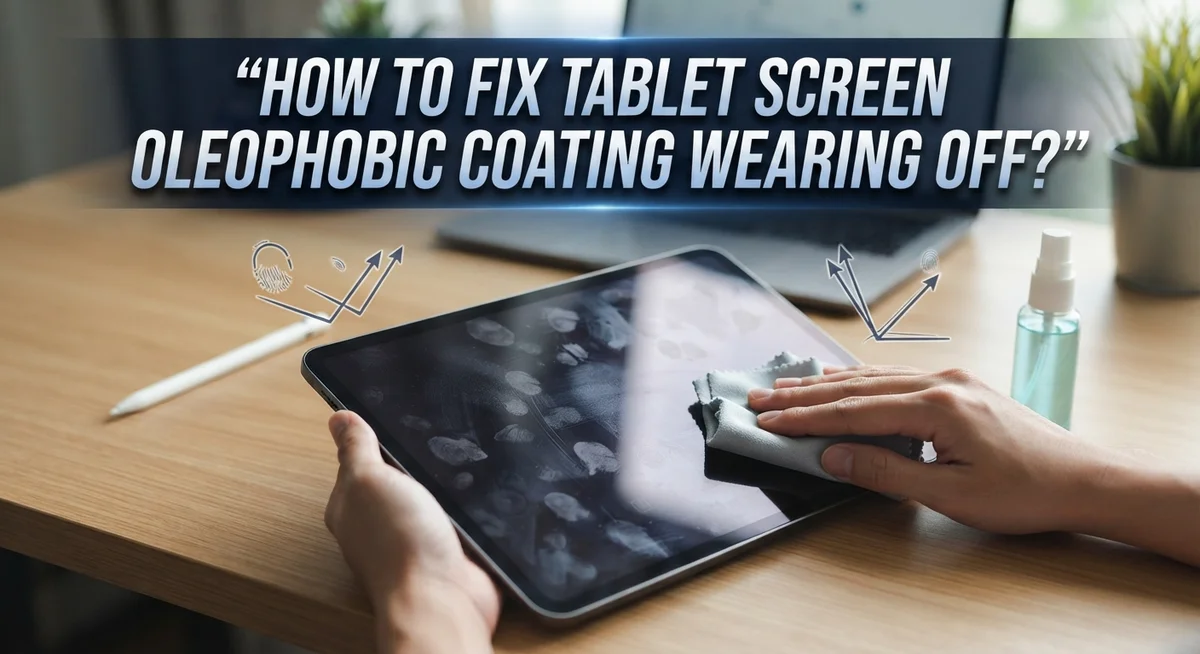
Fingerprints become impossible to ignore. You’ll notice greasy smudges appear faster than before. Even after cleaning, marks return within minutes of use. This happens because the coating that once repelled oils no longer does its job effectively.
Your screen feels different under your fingers. The smooth, slippery sensation disappears. Instead, your finger drags slightly across the surface. This change in texture is one of the most noticeable signs that deterioration has begun.
Dust and dirt stick to your screen more easily. Without the protective coating, particles cling to the glass instead of sliding off. You’ll find yourself cleaning your tablet more frequently than usual.
The screen becomes harder to clean. Previously, a quick wipe with a soft cloth removed all marks instantly. Now you need more pressure or multiple passes to get the screen clear. Some stubborn smudges may not disappear completely.
Streaks and haze appear after cleaning. Even when you use proper cleaning methods, your screen looks cloudy or streaked. This happens because oils are embedding into the exposed glass surface.
Your screen looks dull compared to when it was new. The glossy, vibrant appearance fades. Colors seem less sharp and bright than they did before.
Water beads less effectively on the surface. If you’ve noticed water droplets spreading out instead of beading up, your coating is definitely compromised. This reduced water resistance indicates significant wear.
These signs don’t appear all at once. You might notice one or two initially, then others develop over weeks. Pay attention to how your tablet feels and looks during daily use. Once you spot multiple signs, it’s time to restore that protective layer.
How to Clean Your Screen Before Restoration
Before you apply any restoration solution to your tablet screen, you must clean it thoroughly. A dirty screen will trap debris under the new coating, ruining your results.
Start by powering off your tablet completely. This prevents accidental touches and makes cleaning safer. Let the device cool to room temperature if you’ve been using it recently.
Gather a microfiber cloth or soft lens cloth. These materials are gentle and won’t scratch your screen. Regular paper towels or tissues will damage the surface, so avoid them completely.
Dampen your cloth slightly with distilled water. Tap water contains minerals that leave streaks and spots. Use just enough moisture to make the cloth damp, not wet. Excess water can seep into your tablet’s ports and cause damage.
Gently wipe your entire screen with circular motions. Pay special attention to corners and edges where oils accumulate. Don’t press hard. Let the cloth do the work with light pressure.
For stubborn fingerprints or residue, you can add a tiny drop of isopropyl alcohol to your cloth. Use only 70 percent isopropyl alcohol, never higher concentrations. Test on a small corner first to ensure it won’t harm your screen.
Wipe the screen again with a dry microfiber cloth. Remove all moisture and cleaning solution. Any liquid left behind will interfere with coating application.
Let your tablet air dry for at least 15 minutes. This ensures no moisture remains in crevices or around the edges. A completely dry screen is essential for proper adhesion of restoration products.
Inspect your screen under good lighting. You should see no streaks, dust, or fingerprints. If spots remain, repeat the cleaning process. A clean foundation makes all the difference in restoration success.
Step-by-Step Guide to Applying a Liquid Screen Protector
A liquid screen protector is a thin, transparent coating you apply directly to your tablet screen. This solution restores the oleophobic properties your original coating lost over time.
Here’s how to apply it properly.
First, make sure your tablet screen is completely clean and dry. Any dust, fingerprints, or moisture will interfere with the coating’s adhesion. Wait at least 15 minutes after your final cleaning step before proceeding.
Read the instructions on your liquid protector bottle carefully. Different products have slightly different application methods. Most require you to shake the bottle thoroughly before use.
Apply a small amount of the liquid to a clean microfiber cloth. You don’t need much. A few drops spread across your cloth is sufficient for the entire screen. Never pour the liquid directly onto your tablet screen.
Using gentle, circular motions, spread the coating evenly across your entire screen surface. Work from the center outward toward the edges. Make sure you cover every area, including the corners. Pay special attention to edges where coating often wears first.
Allow the coating to dry completely. Most liquid protectors require 2 to 4 hours of curing time before you use your tablet. Check your product’s specific timeline. Avoid touching the screen during this period.
After curing, your screen should feel smoother and repel fingerprints more effectively. The coating restores that slippery, clean feel your tablet had when it was new.
Keep your tablet in a dust-free environment while the coating cures. Avoid placing it near fans, open windows, or areas with air movement. Dust particles can settle on the wet coating and create an uneven finish.
This process works best when done in a clean, calm environment. Temperature and humidity matter too. Apply your coating in a room that’s between 60 and 75 degrees Fahrenheit for optimal results.
Tips for Maintaining Oleophobic Properties Longer
Your oleophobic coating wears naturally over time. The good news is you can slow this process significantly with smart maintenance habits.
Use a microfiber cloth every single day. This is your first line of defense. Microfiber attracts oils and dust without scratching your screen. Keep one in your bag or pocket. Wipe your screen whenever you notice fingerprints building up.
Avoid touching your screen with bare fingers when possible. Your skin produces natural oils that break down the coating faster. Use a stylus or gloved finger instead. This simple change extends your coating’s life considerably.
Clean your screen the right way. Never use paper towels, tissues, or your shirt. These materials scratch and damage the oleophobic layer. Stick with soft, lint free cloths only. When your screen needs deep cleaning, use distilled water on your cloth, not tap water. Tap water contains minerals that leave residue.
Skip harsh chemicals completely. Window cleaners, alcohol based solutions, and abrasive wipes destroy the coating. These products are your screen’s enemies. If you need stronger cleaning power, a tiny drop of isopropyl alcohol works, but use it sparingly.
Store your tablet carefully. Keep it in a protective case when you’re not using it. This prevents dust and debris from settling on your screen constantly.
Dry your screen promptly after cleaning. Moisture sitting on your screen for long periods weakens the oleophobic properties. Pat it dry with a clean cloth and let it air dry completely.
Consider your environment. High humidity, salty air, and extreme heat all speed up coating degradation. If you live near the ocean or in a very humid climate, you’ll need more frequent cleaning.
Remember that no maintenance routine stops the coating from wearing eventually. These habits simply slow the natural process. Your coating will eventually need reapplication, and that’s completely normal after 12 to 15 months of regular use.
Common Mistakes to Avoid During Restoration
When you restore your tablet’s oleophobic coating, mistakes can ruin your efforts. Understanding what to avoid helps you succeed the first time.
Don’t rush the restoration process. Many people apply liquid screen protectors without waiting long enough between steps. Your screen must be completely dry before you apply any coating. Even tiny drops of water left on the surface will create streaks and uneven coverage. Patience here prevents wasted product and poor results.
Avoid using too much liquid protector at once. Some users think more product means better coverage. This approach backfires. Excess coating pools on your screen and creates thick, visible spots. These areas dry unevenly and look cloudy. Use a small amount instead. You can always apply a second thin layer if needed.
Never skip the instruction manual. Different liquid protectors have different requirements. Some need longer curing times than others. Some require specific application techniques. Reading the bottle instructions takes two minutes and prevents mistakes that cost you the entire application.
Don’t apply the coating in direct sunlight or near heat sources. Temperature affects how the liquid dries. Hot environments cause uneven curing and streaking. Work in a cool, shaded room with stable temperatures.
Avoid touching your screen immediately after application. Your fingers will leave oils that interfere with the coating process. Some people accidentally wipe the fresh coating off by handling their tablet too soon. Wait the full recommended curing time before using your device.
Don’t expect permanent results. The oleophobic coating wears naturally over months of use. This is normal and unavoidable. Restoration gives you a temporary solution, not a permanent fix. Plan to reapply the coating every 12 to 15 months as it naturally degrades.
Finally, avoid mixing different restoration products. Combining various coatings or cleaners creates chemical reactions that damage your screen. Stick with one system from start to finish.
Troubleshooting Uneven or Ineffective Coating Application
When your tablet’s oleophobic coating wears unevenly, some areas repel fingerprints better than others. This happens because the coating degrades at different rates depending on how you use your device.
Uneven wear occurs from several common causes. You might touch certain screen areas more frequently than others. Heat exposure, humidity, and direct sunlight speed up degradation in specific spots. Improper cleaning methods also damage the coating inconsistently across your screen.
Before attempting any restoration, identify exactly where the coating is failing. Look at your screen under bright lighting. Areas that show more fingerprints and smudges indicate thinner or missing coating.
The key to fixing uneven coating is proper surface preparation. Start by cleaning your entire screen thoroughly. Use only a soft microfiber cloth with distilled water or a gentle cleaning solution designed for screens. Remove all dust, oils, and residue completely. Any leftover particles will prevent new coating from adhering properly.
Once your screen is clean and completely dry, assess the problem again. Sometimes heavy cleaning removes additional worn coating, making the issue appear worse temporarily. This is normal and expected.
When you apply a liquid screen protector, focus on even distribution. Apply the product to your microfiber cloth first, not directly to the screen. Use gentle circular motions across the entire surface, paying extra attention to areas that showed the most wear.
Ineffective coating application usually stems from rushing the process. Apply thin, even layers rather than one thick layer. Allow proper curing time between applications if needed. Check your product instructions for specific timing requirements.
Remember that no application method creates a permanent fix. The coating will eventually wear again naturally. Reapplication becomes necessary every 12 to 15 months with normal use. This is simply how oleophobic coatings function over time.
Final Thoughts
Your tablet’s oleophobic coating will wear off over time. This happens to every device eventually. It’s simply part of normal use.
The good news is that you have real solutions. Liquid screen protectors can restore that smooth, fingerprint resistant feel. Many users report these products work incredibly well when applied correctly.
Fixing the coating isn’t complicated. Clean your screen thoroughly first. Then apply your chosen liquid protector with a soft cloth. Let it cure properly before you touch the screen again.
Patience matters here. Rushing the process leads to poor results. Take your time during each step.
Remember that no fix lasts forever. Even a fresh coating application will wear down again. This is the nature of oleophobic technology.
Your daily habits still matter though. Using a microfiber cloth and avoiding harsh chemicals helps extend coating life. These small efforts add up over months of use.
If DIY restoration feels overwhelming, professional help exists. Repair services and detailed guides like those from iFixit can walk you through reapplication. This option works well if you want expert guidance.
The bottom line is simple. Oleophobic coating wear is unavoidable, but restoration is easy. You don’t need to live with greasy fingerprints and smudges forever.
Regular maintenance combined with occasional restoration keeps your screen looking and feeling its best. Think of it as routine upkeep, similar to charging your battery or updating your software.
Your tablet screen doesn’t have to feel sticky or attract constant smudges. With the right approach, you can restore that clean, smooth surface whenever you need to.
Stay consistent with care, act quickly when you notice wear, and don’t hesitate to reapply protection. Your screen will thank you with better performance and a nicer feel every time you pick up your device.
Frequently Asked Questions
How long does oleophobic coating last on a tablet screen?
The oleophobic coating typically lasts between 12 to 15 months with normal use. This timeline varies based on how often you touch your screen and your cleaning habits. The coating naturally degrades over time, which is completely normal and expected. You’ll notice fingerprints become more visible as the coating wears away.
Can I restore the oleophobic coating myself?
Yes, you can restore it yourself using liquid screen protector solutions. The process involves cleaning your screen thoroughly first, then applying the liquid protector evenly across the surface. After application, you must let it cure completely before using your tablet. Patience during the curing stage is essential for the best results.
What’s the most common mistake people make when restoring the coating?
Many people skip proper cleaning before applying a new coating. A dirty screen prevents the liquid protector from bonding correctly. You must clean your entire screen and let it dry completely before starting the restoration process. Rushing this step leads to uneven or ineffective results.
Why does the oleophobic coating wear unevenly?
You likely touch certain screen areas more frequently than others. The center and corners typically experience different amounts of contact. Areas you tap repeatedly wear faster than less used sections. This uneven wear is natural and happens to all tablets.
Is there a permanent fix for oleophobic coating wear?
No permanent DIY solution exists. The coating will naturally wear again over time, regardless of how carefully you treat your screen. Reapplication becomes necessary every 12 to 15 months. This is simply part of tablet screen maintenance.

Hi, I’m Jessamine Rowell, the founder and voice behind ResizeMake (https://resizemake.com/), a space where I share my love for technology with the world. I write detailed and honest reviews on the latest tech products, gadgets, electronic devices, and trending Amazon items to help readers make smarter buying decisions.