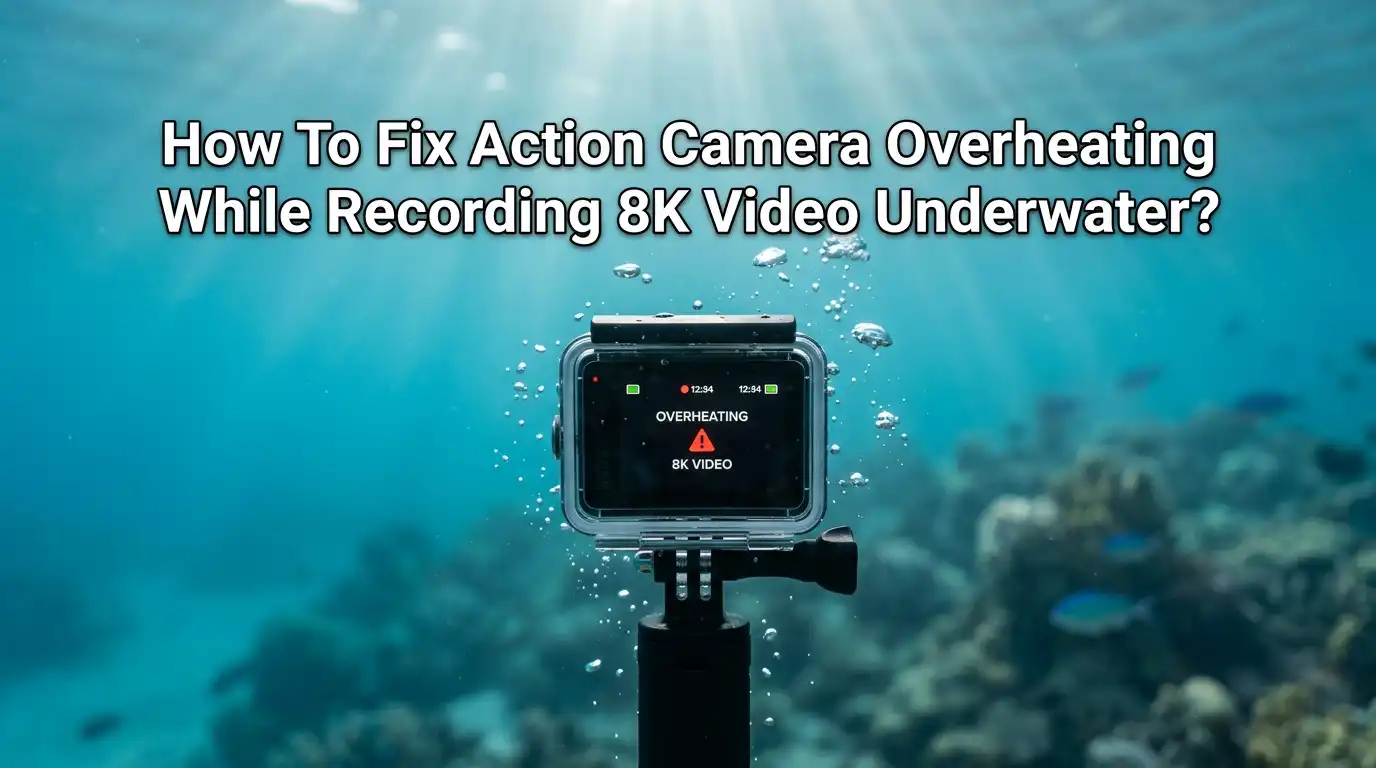
How To Fix Action Camera Overheating While Recording 8K Video Underwater?
You finally got the shot lined up. The reef looks stunning. Then your action camera flashes a warning and shuts down. Sound familiar? Recording 8K video underwater pushes your camera harder than almost any other task.
The sensor works overtime, the processor heats up fast, and the waterproof housing traps every bit of that warmth inside. The result is frustrating shutdowns right when you want footage the most.
The good news is that overheating is fixable. You do not need to buy a new camera or give up on 8K. You just need the right settings, smart habits, and a few simple tricks that divers and creators use every day.
In a Nutshell:
- Heat has nowhere to escape underwater. A sealed dive housing blocks airflow, so the camera traps its own heat. This is the single biggest reason 8K recording shuts down faster underwater than on land.
- 8K and high frame rates create the most heat. The processor and sensor work hardest at high resolution. Lowering your settings even slightly gives you much longer record times.
- Cold water actually helps you. Cool water around the housing pulls heat away from the camera. Warm tropical water makes overheating much worse, so plan around it.
- External power and good memory cards matter. A hot battery and a slow card both add heat. Removing the load helps the camera stay cool.
- Firmware updates fix real bugs. Manufacturers often release updates that improve heat management. Always check for the latest version before a dive trip.
- Short cooling breaks save your footage. Letting the camera rest for a few minutes between clips prevents most shutdowns during long sessions.
Why Your Action Camera Overheats Underwater
Your camera overheats because heat builds up faster than it can escape. When you record 8K video, the image sensor and processor run at full power.
They generate a lot of heat inside a tiny body. On land, some of that heat drifts into the air. Underwater, your camera sits inside a sealed waterproof housing. That housing keeps water out, but it also traps heat in.
Think of it like wearing a thick jacket on a hot day. The camera cannot breathe. The warm air around the body has nowhere to go. Add high frame rates, a hot battery, and warm tropical water, and the temperature climbs quickly.
The camera then triggers its safety shutdown to protect itself. Understanding this trapped heat problem is the first step to solving it.
Lower Your Resolution And Frame Rate Smartly
This is the fastest fix you can apply right now. 8K at high frame rates produces the most heat your camera can make. Dropping to a lower setting reduces the processor load and cuts heat fast. You do not always need full 8K for great underwater clips.
Try recording 8K at 24fps instead of 30fps or higher. That small change lowers heat without ruining quality. If you still get shutdowns, switch to 5.3K or 4K for longer sessions. Many divers find 4K at 30fps gives them far more record time and footage that still looks sharp.
Pros: Instant results, no extra gear needed, longer record times, smaller file sizes that fill your card slower.
Cons: You lose some detail and cropping flexibility, and 8K fans may feel they are settling for less than the camera promises.
Cool The Camera Before You Dive
A camera that starts cool runs longer than one that starts warm. Heat is cumulative, so if your camera is already hot from sitting in the sun, it will shut down much faster underwater. Start every dive with a cool camera and you gain valuable minutes.
Keep your camera in the shade before recording. Store it in a cooler bag or a shaded spot on the boat, not on a hot deck. Some creators place the housed camera in a fridge or cooler for a short while before a big shoot. Avoid putting the bare camera in ice or water, since condensation can fog your lens. A cool start is one of the simplest wins available.
Pros: Easy to do, free, adds real record time, helps in hot climates.
Cons: Needs planning ahead, condensation risk if done wrong, only delays heat rather than removing it during recording.
Use Cold Water To Your Advantage
Here is some good news. Cold water is your friend. The water around your housing pulls heat away from the camera body. This is why divers in cool ocean water often record far longer than people filming in warm pools or tropical lagoons. The colder the water, the longer your camera lasts.
You cannot change the ocean temperature, but you can plan around it. In warm water, keep your sessions shorter and your settings lower.
In cold water, you can push longer 8K clips with more confidence. Keep the camera moving through the water rather than holding it still, since fresh water flow carries heat away faster than stagnant water sitting against the housing.
Pros: Works automatically, no gear needed, very effective in cool conditions.
Cons: Useless in warm tropical water, you cannot control natural water temperature, and movement is not always possible during careful shots.
Choose The Right Memory Card
A slow memory card makes your camera work harder. 8K video creates a massive flow of data every second. If your card cannot keep up, the camera buffers and processes more, which adds heat and can corrupt files. The wrong card causes both shutdowns and lost footage.
Use a high speed card rated for 8K and high bitrate recording. Look for fast write speeds and the video speed classes your camera maker recommends.
A fresh, fast, properly formatted card reduces strain on the processor. Format the card in the camera before each big session so it runs at full speed. This small detail solves more overheating and dropout problems than most people expect.
Pros: Reliable recording, fewer corrupt files, smoother data flow, less processor strain.
Cons: Fast cards cost more, the wrong card still causes problems, and a card alone will not fix every heat issue.
Remove The Battery Heat With External Power
Your battery is a heat source. When it works hard to power 8K recording, it warms up and adds to the problem inside the housing. Reducing battery load lowers the total heat your camera produces. This is a favorite trick among long form creators.
If your housing allows a pass through port, you can run the camera on external USB power. Some setups even let you remove the internal battery and power the camera from outside.
This keeps the hottest component cooler. Most dive housings are fully sealed, so this trick works best for surface or splash recording rather than deep dives. Check your specific housing before trying it.
Pros: Cuts a major heat source, extends record time, useful for long shoots.
Cons: Most sealed dive housings do not support external power, adds cables and bulk, and only works in limited setups.
Update Your Camera Firmware
Firmware controls how your camera manages heat. Manufacturers regularly release updates that fix overheating bugs and improve thermal performance.
An old firmware version may shut your camera down sooner than needed, or run the processor less efficiently. Updating is free and often makes a real difference.
Connect your camera to its app or computer software and check for updates before any trip. Install the latest stable version, not a beta, unless you know what you are doing.
Many users report longer record times after a single update. This is one of the easiest fixes available, yet plenty of people forget it. Make it a habit before every diving holiday or big shoot.
Pros: Free, easy, can fix shutdown bugs, improves overall performance.
Cons: Updates can occasionally introduce new bugs, results vary by model, and an update alone will not stop heavy 8K heat.
Turn Off Features You Do Not Need
Every active feature adds a little heat. Wi-Fi, GPS, the live preview screen, and constant app connection all keep extra parts of the camera working. Underwater, you cannot see a phone screen anyway, so these features often run for no reason and waste power.
Turn off Wi-Fi and any wireless connection before you dive. Disable GPS if you do not need location data, and let the screen sleep during recording. Lower the screen brightness too.
Each small change removes a heat source. Together they add up to longer record times. Set up a dedicated dive profile in your camera with these features switched off so you do not forget each time.
Pros: Free, easy, saves battery and reduces heat, quick to set up once.
Cons: You lose live preview and remote control, GPS data goes missing, and the heat saving from each feature is small on its own.
Take Smart Cooling Breaks
Sometimes the best fix is patience. Letting your camera rest for a few minutes lets the trapped heat fade before it triggers a shutdown. Long continuous 8K clips are the hardest task you can give a camera. Breaking your footage into shorter clips keeps the temperature under control.
Plan your dive around shorter recording bursts rather than one long take. Record the moments that matter, then pause between them. During the pause, the cool water around the housing pulls heat away.
This rhythm of record and rest can double your usable footage over a long dive. You also avoid huge single files that are harder to manage and more likely to corrupt if a shutdown hits.
Pros: Free, prevents most shutdowns, saves footage, easy to plan.
Cons: Requires discipline, you might miss spontaneous moments, and it does not allow long unbroken takes.
Pick A Housing That Helps With Heat
Not all housings handle heat the same way. A bulky, thick housing traps more heat than a slim, well designed one. The material and fit both matter. Some housings sit tight against the camera and conduct heat into the surrounding water better than others.
Choose a housing made for your exact camera model and your planned depth. A snug fit with good contact between the camera body and the housing wall helps move heat outward.
Avoid loose generic cases that leave large air gaps inside, since trapped air acts as insulation. Some divers report that metal framed housings shed heat better than all plastic ones. Match the housing to your real diving depth so you do not carry extra unneeded bulk.
Pros: Better long term heat handling, proper fit improves safety, model specific cases perform best.
Cons: Quality housings cost more, switching housings is expensive, and even the best housing cannot fully stop 8K heat.
Avoid Recording While Charging
Charging and recording at the same time creates double heat. The battery warms up while charging, and the processor warms up while recording.
Doing both at once piles the heat together inside the sealed housing. This is one of the fastest ways to trigger an overheating shutdown.
Charge your camera fully before the dive, then record on that charge. Never start an 8K session while the battery is still topping up. If you use external power, make sure it powers the camera directly rather than charging the internal battery during recording.
Plan your power so charging and recording stay separate tasks. This simple habit removes a heat source that many people create without realizing it.
Pros: Easy to follow, removes a big heat source, protects battery health.
Cons: Needs charging time before use, limits spontaneous recording, and you must plan your battery use ahead.
Know When To Accept The Limits
Sometimes the smartest move is honesty about physics. 8K underwater recording asks a tiny camera to do an enormous job in the worst possible cooling conditions. Even with every fix applied, very long continuous 8K takes in warm water may not be realistic for some cameras. Knowing this saves you frustration.
Set realistic expectations for your trip. Use 8K for short hero shots and a lower resolution for long footage. Carry a second camera or spare batteries so you can swap while one cools.
Accepting these limits lets you plan shoots that actually succeed rather than fighting a problem the camera cannot beat. Working with your gear instead of against it gives you the best footage in the end.
Pros: Realistic planning, less frustration, reliable footage, smart use of resources.
Cons: You may not get long 8K takes, extra gear costs money, and some shots simply will not be possible.
Frequently Asked Questions
Why does my action camera overheat faster underwater than on land?
Underwater your camera sits inside a sealed waterproof housing. The housing blocks airflow, so heat from 8K recording cannot escape into the air. Warm water makes this worse. Cold water actually helps by pulling heat away from the housing.
Can I dunk my camera in water to cool it down?
No. Most makers, including Insta360, warn against submerging the bare camera to cool it. Sudden temperature changes cause condensation that fogs your lens and can damage electronics. Cool the housed camera in shade or a cooler instead.
Does recording in 8K really cause more heat than 4K?
Yes. 8K uses the full sensor and pushes the processor to its limit. This creates far more heat than 4K. Dropping to 4K or lowering your frame rate gives you much longer record times underwater.
How long should an action camera record 8K before overheating?
It varies a lot by model, water temperature, and settings. In warm water inside a housing, some users see shutdowns in 20 to 30 minutes. Cold water, lower settings, and cooling breaks can extend this significantly.
Will a firmware update fix my overheating problem?
Often it helps. Makers release updates that improve heat management and fix shutdown bugs. An update alone will not remove all 8K heat, but it is a free and easy first step that many people skip.
Is it bad for my camera to keep shutting down from heat?
The shutdown itself is a safety feature that protects your camera, and your footage is usually saved. Repeated extreme heat over time can still wear down components, so it is best to prevent overheating rather than rely on shutdowns.

Hi, I’m Jessamine Rowell, the founder and voice behind ResizeMake (https://resizemake.com/), a space where I share my love for technology with the world. I write detailed and honest reviews on the latest tech products, gadgets, electronic devices, and trending Amazon items to help readers make smarter buying decisions.